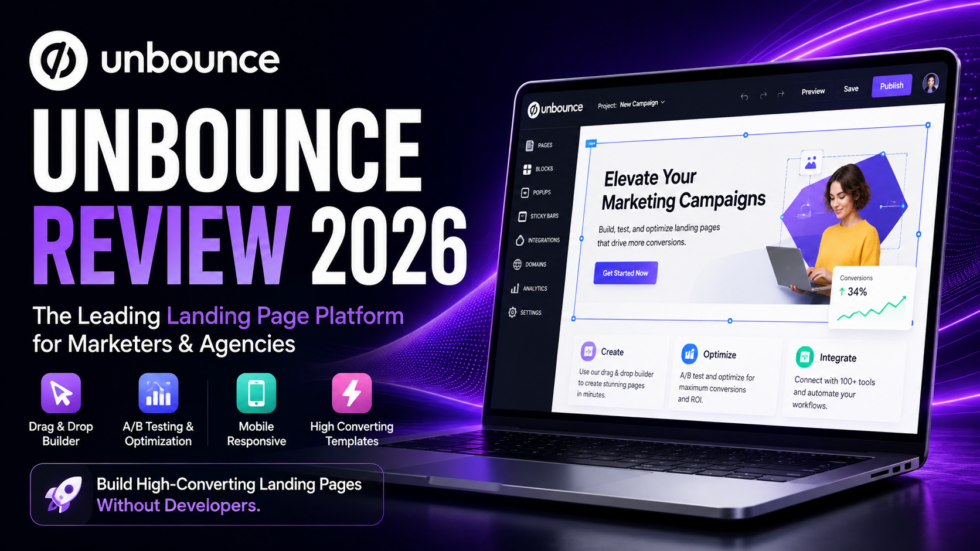
Getting traffic is only half the battle.
Whether you’re running paid ads, launching a product, collecting leads, or promoting a new campaign, the real challenge is turning those visitors into customers.
That’s where Unbounce comes in.
Unbounce is a landing page builder and conversion optimization platform designed for marketers, agencies, and businesses that want to build, test, and optimize landing pages without relying heavily on developers.
The platform combines a drag-and-drop landing page builder, 100+ templates, A/B testing, popups, sticky bars, Dynamic Text Replacement, AI copywriting, integrations, analytics, and AI-powered Smart Traffic optimization.
Its biggest advantage isn’t simply creating landing pages.
Unbounce is designed around one bigger goal:
Turning more of your existing traffic into conversions.
But with plenty of cheaper landing-page tools available, is Unbounce still worth paying for in 2026?
This Unbounce Review 2026 covers its major features, pricing, AI capabilities, advantages, limitations, and ideal users to help you decide.
Unbounce Review: Quick Verdict
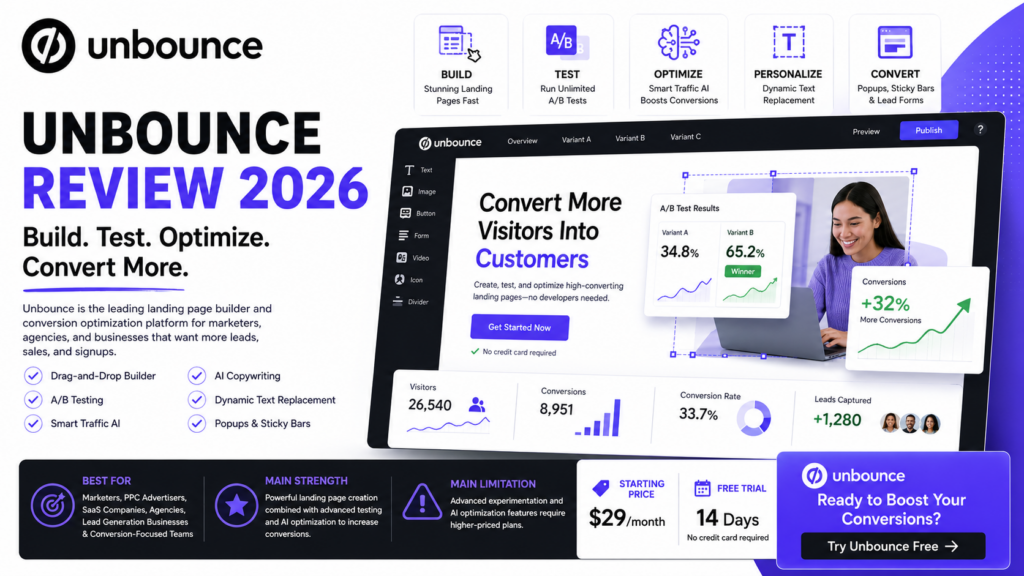
Best For: Digital marketers, PPC advertisers, SaaS companies, agencies, lead-generation businesses, and teams running conversion-focused campaigns.
Main Strength: Combines landing-page creation with serious conversion optimization tools.
Main Limitation: Advanced experimentation and AI optimization require higher-priced plans.
Starting Price: Currently $29/month for Starter on monthly billing, with Build starting at $99/month.
Free Trial: Unbounce currently promotes a 14-day free trial with no credit card required on its pricing page.
Standout Features: Landing Page Builder, A/B Testing, Smart Traffic, Dynamic Text Replacement, AI Copywriting, Popups & Sticky Bars.
Our Verdict: Unbounce remains a strong choice when your priority isn’t merely publishing a landing page but continuously testing and optimizing that page for more conversions.
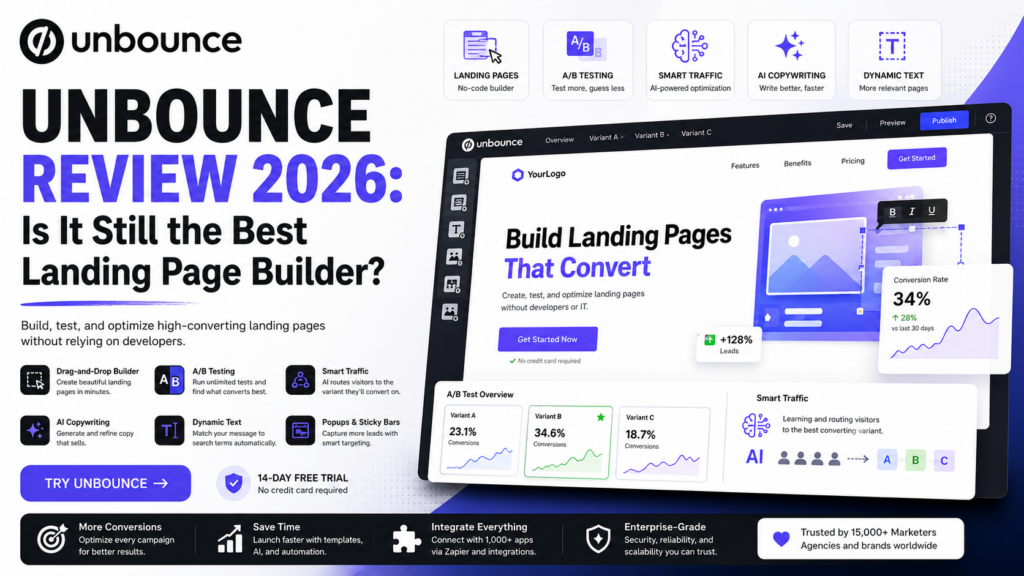
What Is Unbounce?
Unbounce is a no-code landing page and conversion optimization platform.
It allows marketers to create dedicated landing pages without having to build every campaign through their main website or wait for a developer.
Users can start from one of more than 100 templates or build a custom design with the drag-and-drop editor.
A typical workflow looks like:
Create Landing Page → Publish Campaign → Drive Traffic → Collect Leads → A/B Test → Analyze Results → Optimize Conversions
Unbounce becomes particularly interesting after the page is published.
Rather than stopping at page creation, the platform provides tools for testing different variants and improving performance.
That’s the fundamental difference between Unbounce and many basic landing-page builders.
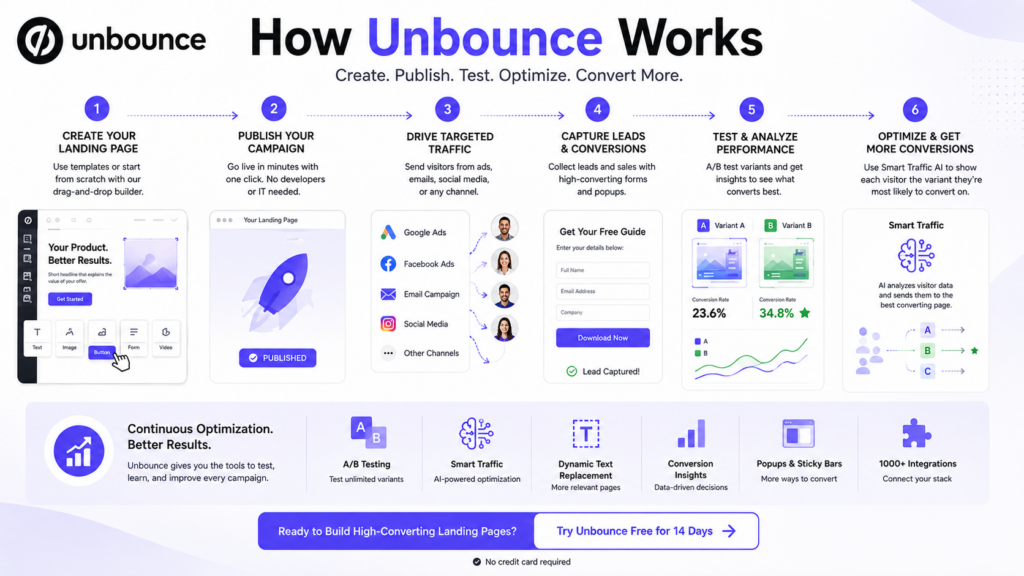
Unbounce Key Features
1. Drag-and-Drop Landing Page Builder
Unbounce lets marketers create landing pages without writing code.
Elements can be added, removed, positioned, and customized visually.
The platform also provides 100+ landing page templates, making it possible to start with an existing structure rather than designing everything from scratch.
This can be particularly valuable for marketers who need to launch multiple campaigns quickly.
Instead of:
Idea → Designer → Developer → Landing Page
the workflow becomes closer to:
Idea → Build → Publish
2. A/B Testing
A/B testing is one of the strongest reasons to consider Unbounce.
Rather than assuming that your first landing page is the best version, you can create variants and test them against each other.
For example:
Variant A: Benefit-focused headline
Variant B: Problem-focused headline
You can then measure which version produces more conversions.
Unbounce supports manual traffic allocation, multiple variants, confidence intervals, and real-time reporting on eligible plans.
For conversion-focused marketers, this is much more useful than relying purely on design preferences.
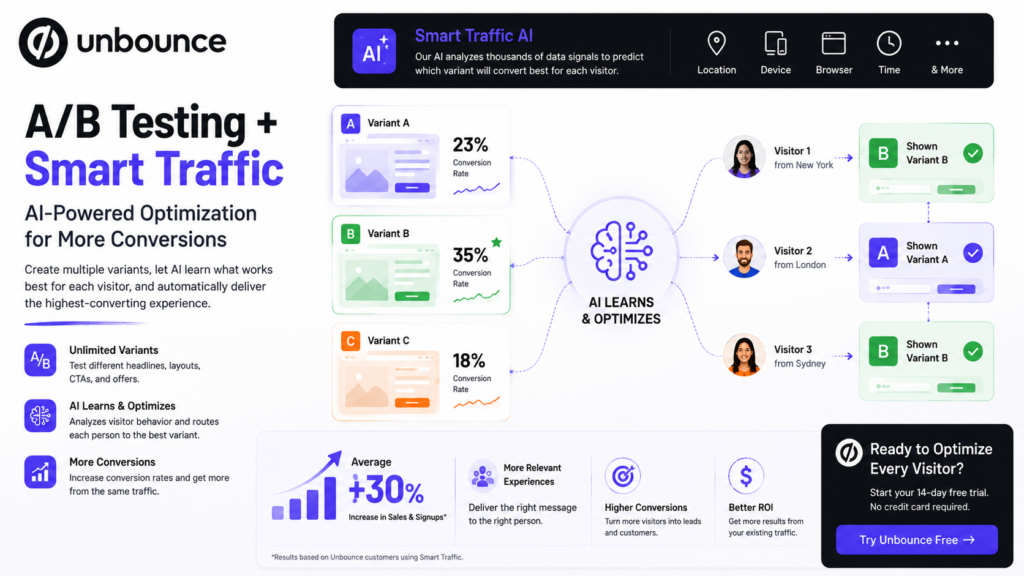
3. Smart Traffic AI Optimization
Smart Traffic is one of Unbounce’s standout features.
Traditional A/B testing eventually tries to identify one winning page.
Smart Traffic takes a different approach.
Its AI analyzes visitor attributes and automatically routes people toward the landing-page variant they’re more likely to convert on. Attributes can include factors such as location, device, browser, operating system, and timezone.
The workflow is straightforward:
Create Variants → Enable Smart Traffic → AI Learns → Visitors Routed to Relevant Variant → Continue Optimizing
Unbounce says marketers using Smart Traffic achieve an average 30% increase in sales and signups, although actual results will naturally depend on the campaign, audience, offer, and traffic.
This feature makes Unbounce particularly interesting for advertisers already spending significant money to acquire traffic.
4. AI Copywriting
Unbounce also integrates AI directly into its page-building workflow.
Its AI copywriting assistant can help marketers:
- Rewrite existing copy
- Expand short ideas
- Generate the next sentence
- Summarize longer sections
- Create alternative messaging
The advantage is convenience.
You can refine landing-page copy while seeing how that copy fits within the design instead of repeatedly switching between an AI writing tool and your landing-page editor.
AI-generated marketing copy should still be reviewed for accuracy, tone, differentiation, and brand consistency before publishing.
5. Dynamic Text Replacement
Landing-page relevance can have a significant impact on campaign performance.
Unbounce’s Dynamic Text Replacement allows page copy to change according to a visitor’s search terms.
For example, a business advertising several related services can potentially make the landing-page headline better match the keyword that brought a visitor there.
That creates a more consistent journey:
Ad Message → Landing Page Message → Conversion Goal
This can be particularly useful for PPC campaigns with multiple keyword groups.
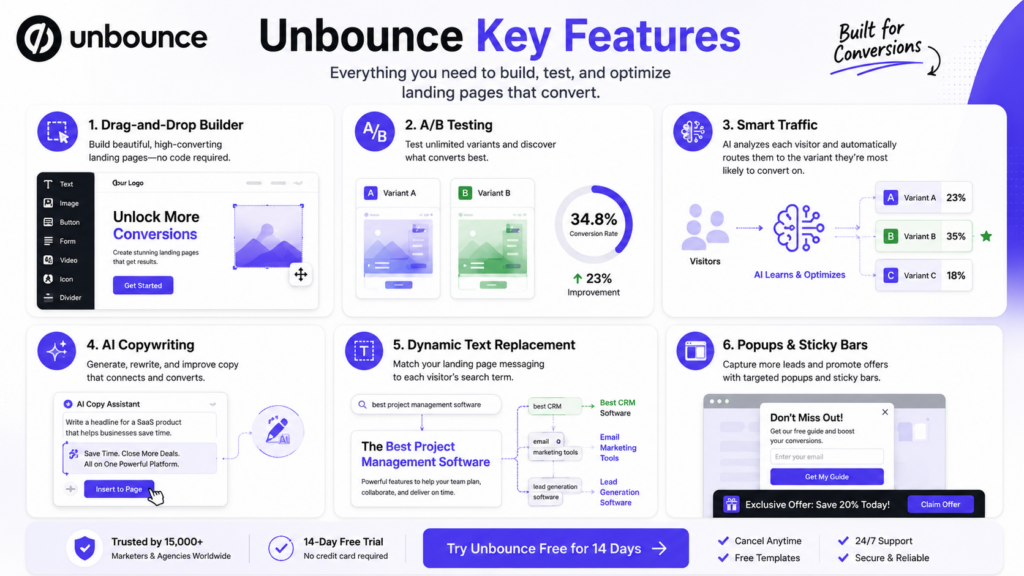
6. Popups & Sticky Bars
Unbounce isn’t limited to standalone landing pages.
Users can also create popups and sticky bars.
These can be triggered according to conditions such as:
- Page arrival
- Exit behavior
- Element clicks
- Scrolling
- URL
- Location
- Referral source
- Cookies
- Campaign schedule
This gives marketers additional ways to present offers or capture leads without rebuilding an entire page.
7. Lead Generation Forms
Landing pages usually exist for a specific conversion goal.
For lead-generation campaigns, Unbounce provides forms and content-gating functionality for capturing visitor information.
Multi-step forms are also available on eligible plans.
A simple funnel could look like:
Ad → Landing Page → Form → Lead Captured → CRM → Sales Follow-Up
Connecting this workflow to other marketing tools is where integrations become important.
8. Integrations
Unbounce can connect landing-page leads with the rest of a marketing stack.
Its integrations include analytics and marketing tools, while Zapier can connect Unbounce with a much broader range of applications.
Unbounce currently states that Zapier can send landing-page leads and data to 1,000+ supported apps.
That allows businesses to create workflows such as:
Landing Page → Form Submission → CRM → Email Automation → Sales Team
without manually moving lead information between systems.
Unbounce Pricing 2026
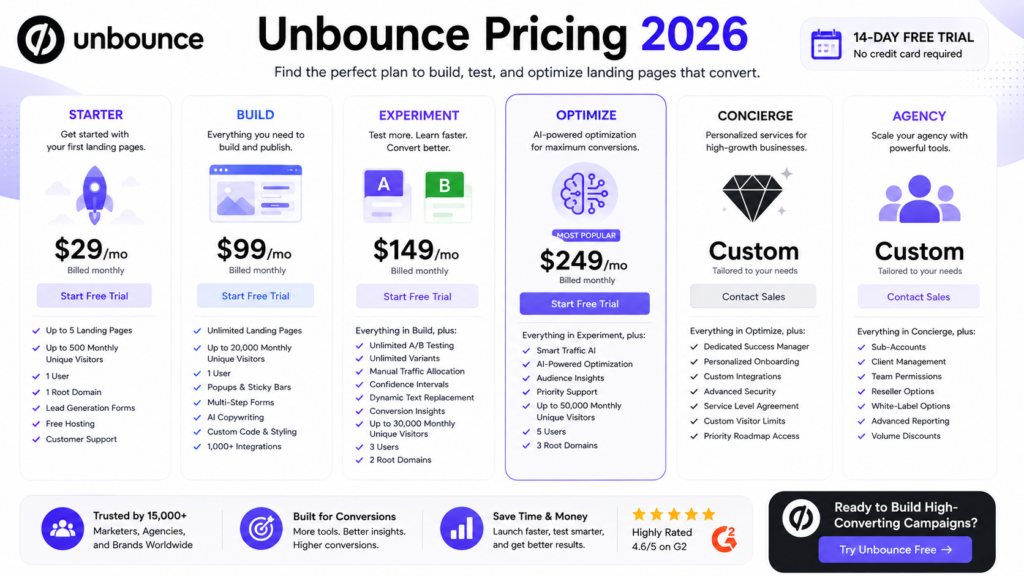
Unbounce currently offers Starter, Build, Experiment, Optimize, Concierge, and Agency options.
Current monthly pricing is:
| Plan | Monthly Price | Best For |
|---|---|---|
| Starter | $29/month | First landing pages |
| Build | $99/month | Regular landing-page creation |
| Experiment | $149/month | A/B testing |
| Optimize | $249/month | AI conversion optimization |
| Concierge | Custom | Advanced businesses |
| Agency | Custom | Agencies |
Annual billing currently offers lower effective monthly rates, including $22 for Starter, $74 for Build, $112 for Experiment, and $187 for Optimize.
Pricing can change, so check the current offer before subscribing.
Starter – $29/Month
Starter is designed for businesses launching their first landing pages.
It currently includes:
- Drag-and-drop builder
- Up to 5 pages
- Up to 500 monthly unique visitors
- 1 user
- 1 root domain
- Lead-generation forms
- Free hosting
- Customer support
It’s the most affordable way to start using Unbounce.
Build – $99/Month
Build removes the five-page restriction and is aimed at marketers who regularly create campaigns.
It currently includes:
- Unlimited landing pages
- Up to 20,000 monthly unique visitors
- Popups & sticky bars
- Multi-step forms
- AI copywriting
- Custom code and styling
- 1,000+ integrations
For businesses primarily interested in creating landing pages rather than advanced experimentation, Build is likely to be the more relevant tier.
Experiment – $149/Month
Experiment introduces Unbounce’s serious testing capabilities.
It currently includes:
- Unlimited A/B testing
- Unlimited variants
- Manual traffic allocation
- Confidence intervals
- Dynamic Text Replacement
- Conversion insights and reporting
- Up to 30,000 monthly unique visitors
- 3 users
- 2 root domains
This tier makes sense when landing-page optimization becomes an ongoing part of your marketing strategy.
Optimize – $249/Month
Optimize adds Unbounce’s AI optimization functionality.
Its biggest addition is Smart Traffic, alongside audience insights and other advanced optimization capabilities.
The current plan supports up to 50,000 monthly unique visitors, five users, and three root domains.
This plan is aimed at businesses where improving conversion rates can justify the higher subscription cost.
Unbounce Pros and Cons
Pros
Built for Conversions: Unbounce focuses on creating landing pages specifically for marketing campaigns and conversion goals.
No-Code Builder: Marketers can build pages without depending heavily on developers.
Strong A/B Testing: Experimentation is much deeper than what many basic website builders provide.
Smart Traffic: AI-powered visitor routing provides a different approach to traditional A/B testing.
100+ Templates: Templates can significantly accelerate campaign creation.
Dynamic Text Replacement: Particularly useful for creating more relevant PPC landing experiences.
AI Copywriting: Helps refine marketing copy directly inside the builder.
Popups & Sticky Bars: Adds additional conversion opportunities beyond standalone pages.
Large Integration Ecosystem: Useful for connecting captured leads to CRM and marketing workflows.
Unbounce Cons
Advanced Features Become Expensive: A/B testing starts with Experiment, while AI traffic optimization requires Optimize under the current pricing structure.
Visitor Limits: Each standard plan has monthly traffic limits.
Overkill for Simple Websites: Businesses that only need a basic static page may not benefit from Unbounce’s conversion-optimization toolkit.
Not a Full Website CMS: Unbounce is primarily designed around landing pages and campaign conversion rather than replacing every aspect of a complete website platform.
Optimization Requires Traffic: Advanced experimentation becomes more valuable when you have enough visitors to generate useful data.
Who Is Unbounce Best For?
PPC & Performance Marketers
This is arguably one of Unbounce’s strongest use cases.
Marketers can build dedicated pages for different campaigns, improve message relevance, run experiments, and optimize conversion performance.
SaaS Companies
SaaS businesses can create landing pages for product launches, lead magnets, demos, webinars, trials, and individual advertising campaigns.
Marketing Agencies
Agencies managing multiple campaigns can benefit from reusable landing pages, testing, optimization, and higher-level Agency options.
Lead Generation Businesses
Forms, landing pages, integrations, popups, and conversion optimization make Unbounce well suited to lead-generation funnels.
E-Commerce Marketers
Unbounce can be useful for dedicated product campaigns, promotions, seasonal offers, and advertising-specific landing experiences.
Unbounce vs Basic Landing Page Builders
| Feature | Unbounce | Basic Page Builder |
|---|---|---|
| Drag-and-Drop Builder | ✅ | ✅ |
| Templates | ✅ 100+ | ✅/Varies |
| A/B Testing | ✅ Strong | ⚠️ Varies |
| AI Traffic Optimization | ✅ | ❌/Limited |
| AI Copywriting | ✅ | ⚠️ Varies |
| Dynamic Text Replacement | ✅ | ⚠️ Limited |
| Popups & Sticky Bars | ✅ | ⚠️ Varies |
| Conversion Reporting | ✅ | ⚠️ Varies |
| Marketing Integrations | ✅ | ✅/Varies |
| Conversion Optimization Focus | ✅ Strong | ⚠️ Moderate |
Unbounce’s biggest advantage isn’t simply helping you create a prettier page.
It’s giving marketers a system for:
Build → Test → Learn → Optimize → Convert
Is Unbounce Worth It in 2026?
Unbounce makes the most sense when conversion rate matters financially.
Imagine you’re already paying to send thousands of visitors to a campaign.
A small improvement in landing-page conversion rate could potentially create more leads or sales without requiring the same percentage increase in advertising spend.
That’s the value proposition behind Unbounce.
You can build the page, test variants, analyze performance, and eventually use AI optimization to personalize which variant visitors receive.
For a business that only needs one simple landing page, the advanced plans may be difficult to justify.
But for marketers and agencies continually running paid campaigns, Unbounce’s optimization features can become significantly more valuable.
Frequently Asked Questions
What Is Unbounce?
Unbounce is a landing-page creation and conversion-optimization platform offering a no-code builder, templates, A/B testing, AI optimization, AI copywriting, popups, sticky bars, integrations, and analytics.
How Much Does Unbounce Cost?
Current monthly pricing starts at $29/month for Starter, followed by $99 for Build, $149 for Experiment, and $249 for Optimize. Concierge and Agency use custom pricing.
Does Unbounce Have a Free Trial?
Yes. Unbounce currently offers a 14-day free trial and its pricing page states that no credit card is required to start.
Does Unbounce Have A/B Testing?
Yes. Unbounce’s Experiment plan currently includes unlimited A/B testing and variants, manual traffic allocation, confidence intervals, and reporting.
What Is Unbounce Smart Traffic?
Smart Traffic is Unbounce’s AI-powered optimization system that analyzes visitor attributes and automatically routes users to the landing-page variant they’re more likely to convert on.
Does Unbounce Use AI?
Yes. Unbounce uses AI for Smart Traffic optimization and provides AI-assisted copywriting directly within its landing-page workflow.
Is Unbounce Good for Google Ads Landing Pages?
Unbounce can be particularly useful for paid-search campaigns because marketers can build dedicated campaign pages, use Dynamic Text Replacement, test variants, and optimize conversion performance.
Final Verdict: Should You Use Unbounce in 2026?
Unbounce remains much more than a basic landing-page builder.
Its combination of no-code page creation, 100+ templates, A/B testing, Smart Traffic, AI copywriting, Dynamic Text Replacement, popups, sticky bars, forms, analytics, and integrations creates a complete conversion-focused toolkit.
Best For: PPC marketers, agencies, SaaS businesses, lead-generation teams, and conversion-focused marketers.
Main Strength: Powerful landing-page experimentation and conversion optimization.
Main Limitation: Accessing its strongest testing and AI optimization features requires higher-priced plans.
Starting Price: Currently $29/month.
Free Trial: Currently 14 days.
Final Verdict: Unbounce is worth considering when landing pages directly influence your advertising ROI. If you simply need a basic page builder, cheaper options may be enough. But if you want to systematically build, test, optimize, and improve conversion performance, Unbounce remains a compelling platform in 2026.