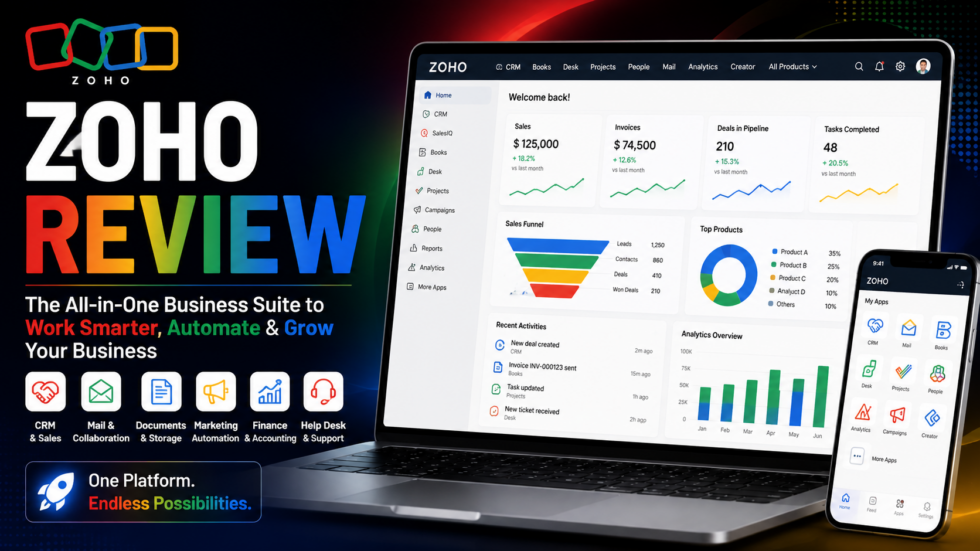
Running a growing business often means using different software for sales, marketing, accounting, customer support, email, projects, analytics, HR, documents, and automation.
The problem is that managing dozens of disconnected applications can create duplicated data, complicated integrations, and unnecessary administrative work.
Zoho takes a different approach.
Zoho provides a broad ecosystem of cloud business applications covering CRM, finance, customer service, marketing, collaboration, analytics, project management, HR, low-code development, and AI.
At the center of many of these products is Zia, Zoho’s AI technology, which supports areas including automation, analytics, customer engagement, recommendations, intelligent alerts, and data management.
The basic idea is:
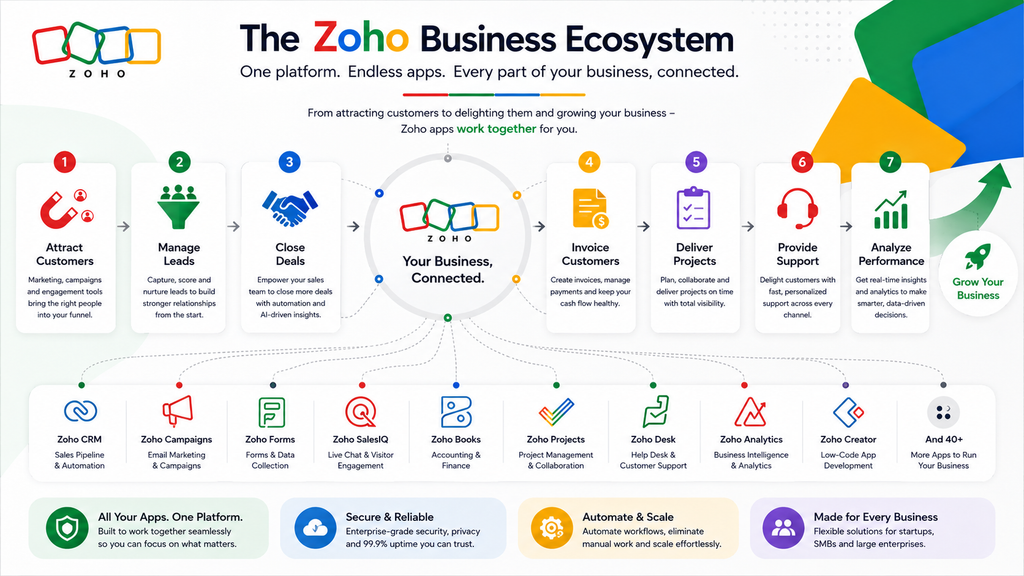
Attract Customers → Manage Leads → Close Deals → Invoice Customers → Deliver Projects → Provide Support → Analyze Performance → Automate Growth
But with such a large product ecosystem, is Zoho actually worth adopting?
This Zoho review explores its major apps, CRM capabilities, Zia AI, automation, analytics, advantages, limitations, and ideal users.
Zoho Review: Quick Verdict
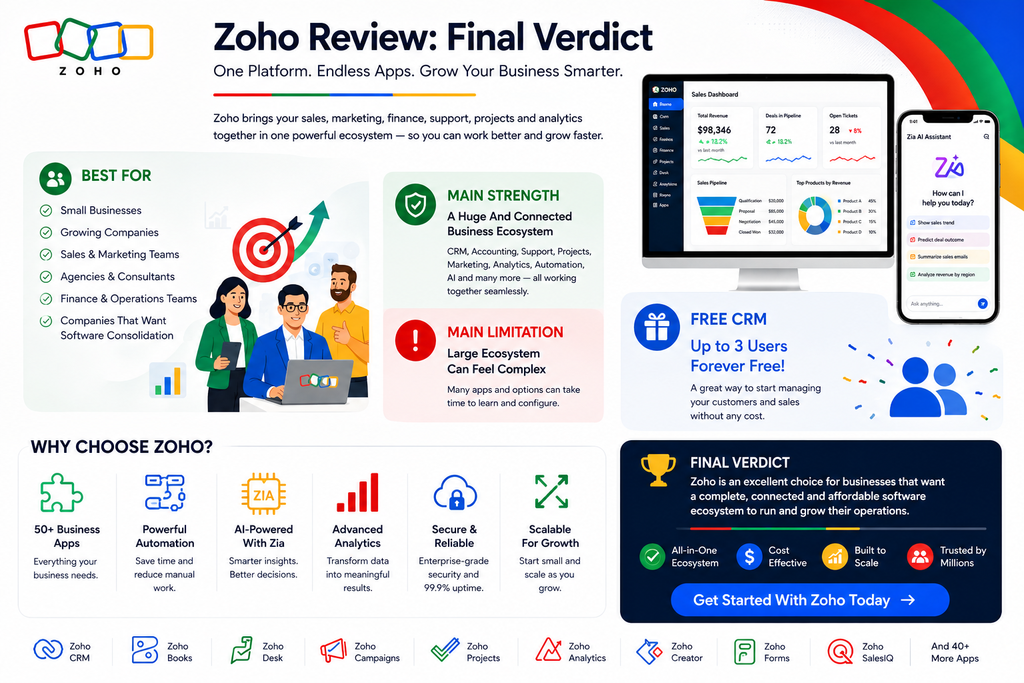
Best For: Small businesses, growing companies, sales teams, marketing teams, agencies, finance teams, service businesses, and organizations that want several business applications within one ecosystem.
Main Strength: An unusually broad collection of connected business applications covering much more than CRM.
Main Limitation: The size of the Zoho ecosystem can make choosing and configuring the right combination of products more complicated than adopting a single-purpose tool.
Free CRM: Yes. Zoho CRM currently has a forever-free edition for up to 3 users.
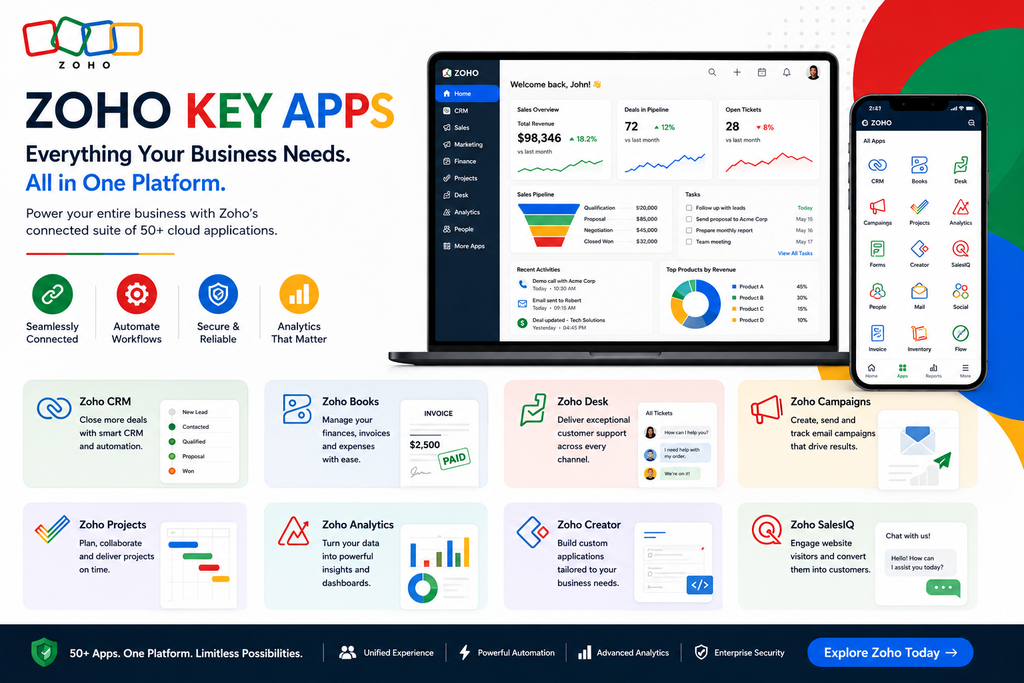
Standout Products: Zoho CRM, Books, Desk, Campaigns, Projects, Analytics, Creator, Forms, SalesIQ and other specialized business applications.
AI: Zia provides AI capabilities throughout multiple Zoho products, while Zoho also offers tools for building AI agents.
Verdict: Zoho is particularly compelling for businesses that want to consolidate several operational tools without immediately moving into a large enterprise software ecosystem.
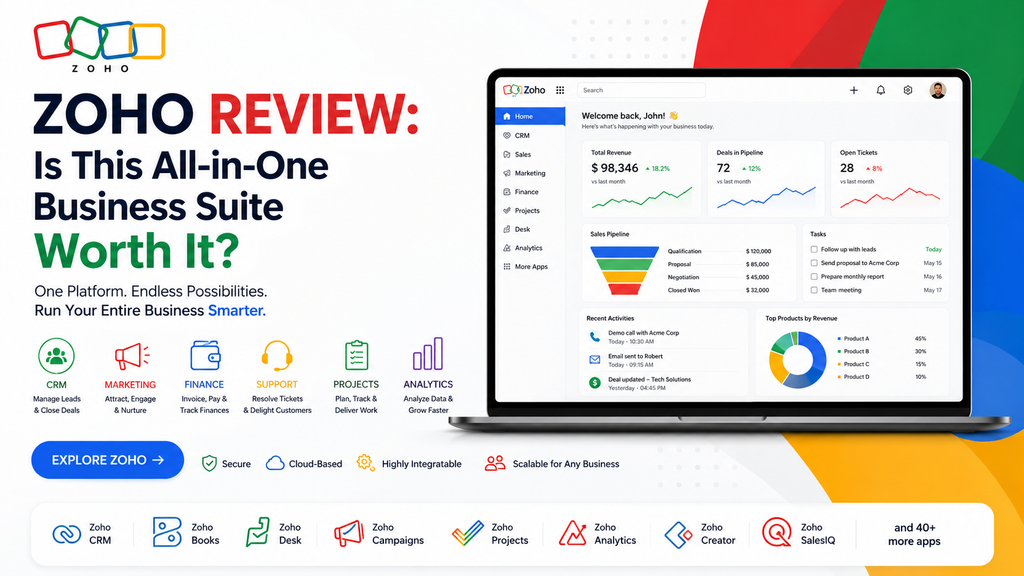
What Is Zoho?
Zoho is not simply a CRM.
It’s an ecosystem of cloud applications designed to manage different areas of a business.
For example, a company could use:
Zoho CRM → Sales and customer relationships
Zoho Books → Accounting
Zoho Desk → Customer support
Zoho Campaigns → Email marketing
Zoho Projects → Project management
Zoho Analytics → Business intelligence
Zoho Forms → Data collection
Zoho Creator → Custom applications
Zoho SalesIQ → Visitor engagement and live chat
Zoho’s CRM pricing page alone currently highlights CRM, Desk, Bigin, Sign, Forms, Creator, Bookings, Survey, LandingPage, Campaigns and other applications across its ecosystem.
Instead of treating these as completely isolated tools, businesses can build connected workflows across them.
1. Zoho CRM
Zoho CRM is one of the best-known products in the Zoho ecosystem.
It provides tools for managing:
- Leads
- Contacts
- Accounts
- Deals
- Sales activities
- Pipelines
- Workflows
- Forecasts
- Reports
- Dashboards
- Customer interactions
Even the Free edition includes contact management, follow-up reminders, workflow automation, email templates, activities, reports, APIs, and mobile applications.
A typical workflow might be:
New Lead → Contacted → Qualified → Proposal → Negotiation → Won
Sales teams can then automate activities around that pipeline.
2. Sales Automation
Automation is one of Zoho CRM’s important capabilities.
Instead of manually performing every repetitive CRM task, businesses can create workflows and assignment rules.
For example:
Lead Captured → Assign Sales Rep → Send Email → Create Follow-Up → Update Deal → Notify Team
The current Standard edition includes workflows, assignment rules and multichannel follow-up cadences, while higher tiers add more sophisticated process automation.
For businesses handling increasing lead volumes, these workflows can reduce administrative work considerably.
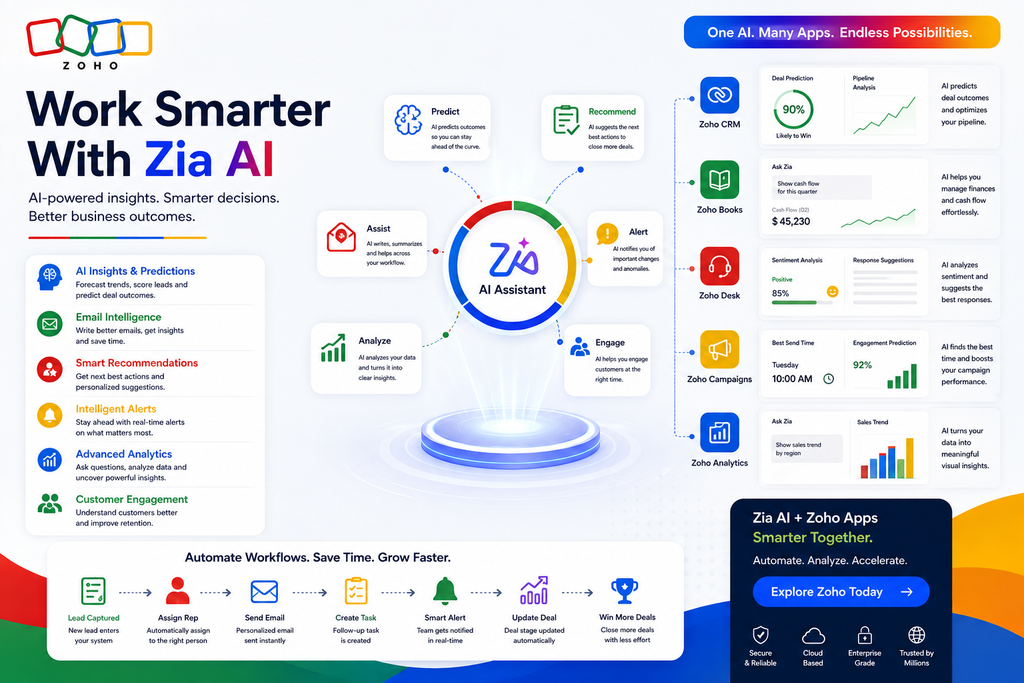
3. Zia AI
One of the most interesting parts of the Zoho ecosystem is Zia.
In Zoho CRM, Zia’s capabilities span six major areas:
Data Management • Productivity • Customer Experience • Insights & Analytics • Intelligent Alerts • Customer Engagement & Retention.
Depending on the application and subscription, AI can help with areas such as:
- Predictions
- Recommendations
- Email intelligence
- Sentiment analysis
- Summaries
- Sales insights
- Anomaly detection
- Data analysis
- Suggested actions
Zoho has also expanded CRM support for additional AI models, including Gemini, Claude and Cohere, alongside other region-dependent options.
This makes AI increasingly integrated with everyday business workflows rather than functioning only as a separate chatbot.
4. Zoho Desk
Zoho Desk extends the ecosystem into customer support.
Businesses can use it to organize and resolve customer requests rather than managing support through an ordinary inbox.
This creates a more complete customer lifecycle:
Marketing → Lead → Sale → Customer → Support → Retention
Zoho has also expanded Zia functionality across additional paid Zoho Desk editions, including features involving sentiment, summaries, writing assistance, reply assistance, Answer Bot and other AI-supported service workflows.
5. Zoho Books
Businesses don’t stop operating once a deal closes.
Zoho Books brings accounting and financial management into the broader ecosystem.
It can work alongside other Zoho finance applications covering areas such as invoicing, billing, inventory, expenses, payroll, and payments.
Zoho Books has also introduced AI functionality. Its Ask Zia conversational assistant can interpret requests and help users complete accounting-related tasks.
That allows businesses to connect customer relationships more closely with financial operations.
6. Zoho Analytics
Zoho Analytics provides business intelligence and reporting capabilities.
Rather than looking only at raw CRM numbers, organizations can analyze data from different business applications and external platforms.
It supports analytics for areas including:
Sales • Marketing • Finance • eCommerce • Projects • IT • Help Desk
Its AI-powered analytics functionality includes Ask Zia, allowing users to interact with business data conversationally.
For management teams, this can help transform operational data into more understandable performance insights.
7. Zoho Projects
Zoho also includes dedicated project-management software.
Zoho Projects helps businesses organize work after a deal has been won.
A connected workflow might therefore become:
Lead → Deal → Customer → Project → Invoice → Support
This is particularly useful for agencies, consultants, software companies and professional-service businesses where selling something is only the beginning of the customer relationship.
8. Marketing Tools
Zoho’s ecosystem also covers customer acquisition.
For example:
Zoho Campaigns supports email marketing.
Zoho LandingPage helps businesses create landing pages and capture leads.
Zoho SalesIQ handles website visitor engagement and live chat.
Zoho Social supports social media management.
Zoho Survey collects customer feedback.
Together, these tools allow businesses to build a broader funnel:
Visitor → Campaign → Landing Page → Lead → CRM → Sales → Customer
9. Zoho Creator
Not every company operates using exactly the same processes.
Zoho Creator addresses this through low-code application development.
Businesses can create custom applications rather than forcing every workflow into generic software.
This becomes particularly useful when an organization has unusual internal processes or industry-specific requirements.
10. Reporting & Forecasting
Zoho CRM includes reports and dashboards for understanding sales performance.
The Standard CRM tier currently includes both reports and dashboards as well as sales forecasting.
Businesses can monitor areas such as:
Pipeline → Sales Activity → Deal Progress → Revenue → Forecast
When combined with Zoho Analytics, reporting can extend much further across the organization.
Zoho CRM Pricing
Zoho CRM provides several editions rather than forcing every company into the same package.
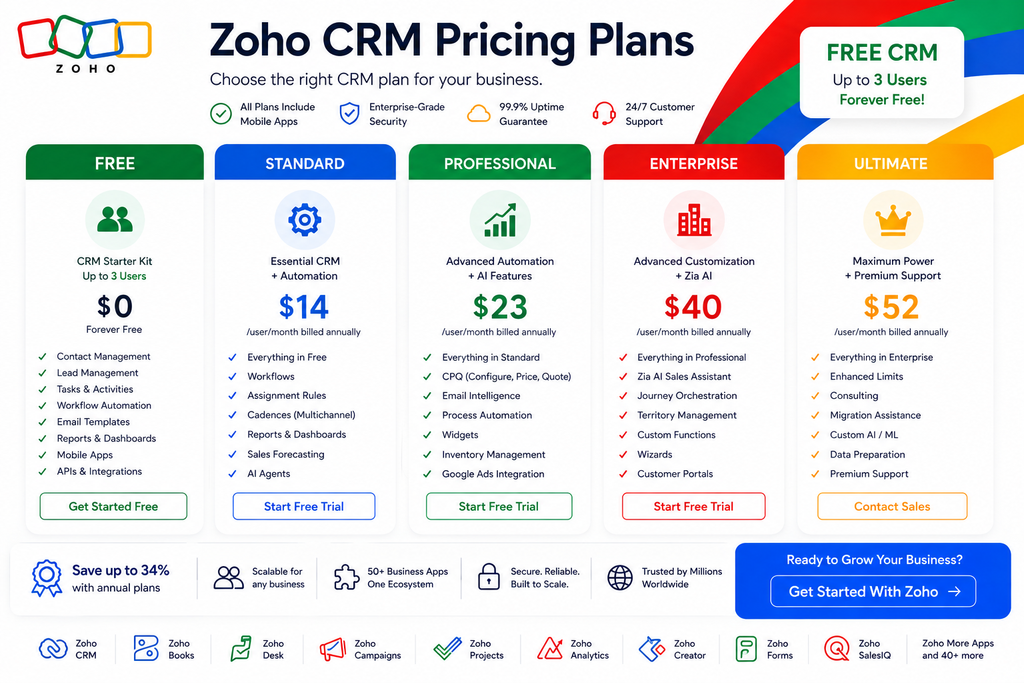
The primary CRM structure currently includes:
| Plan | Positioning |
|---|---|
| Free | CRM starter kit |
| Standard | Essential CRM + automation |
| Professional | More automation and AI |
| Enterprise | Advanced customization + Zia |
| Ultimate | Highest limits and advanced capabilities |
The Free edition supports up to 3 users permanently, while paid pricing varies by currency, region and billing cycle. Zoho currently advertises savings of up to 34% with annual CRM plans.
Free
Zoho CRM’s Free edition supports three users and currently includes:
- Contact management
- Follow-up reminders
- Workflow automation
- Custom email templates
- Tasks, meetings and calls
- Data import/export
- Standard reports
- APIs
- Mobile apps
This gives small businesses a practical way to start organizing customer relationships without immediately purchasing CRM licenses.
Standard
Standard is designed for small teams that need more structured CRM functionality.
Its current capabilities include:
Workflows • Assignment Rules • AI Agents • Cadences • Reports & Dashboards • Sales Forecasting.
This tier begins moving Zoho from basic contact management into sales automation.
Professional
Professional introduces more sophisticated automation.
Current highlights include:
- CPQ
- Email intelligence
- Process automation
- Widgets
- Inventory management
- Google Ads integration
This makes Professional more suitable for businesses with established sales processes.
Enterprise
Enterprise expands customization and AI capabilities.
Current features include:
- Zia AI sales assistant
- Journey orchestration
- Territory management
- Custom functions
- Wizards
- Customer portals
For larger organizations, these capabilities allow Zoho CRM to adapt more closely to complex business processes.
Ultimate
Ultimate extends Enterprise with higher limits and additional advanced capabilities.
Zoho currently highlights:
Enhanced Limits • Consulting • Migration Assistance • Custom AI/ML • Data Preparation.
This edition is aimed at organizations that need greater customization and scale.
Zoho Pros and Cons
Pros
Huge Business Ecosystem: Zoho covers CRM, accounting, support, marketing, analytics, projects, collaboration and many other business functions.
Free CRM Available: Up to three users can use Zoho CRM’s Free edition.
Strong Automation: Workflows, assignment rules, cadences and process automation can reduce repetitive work.
Zia AI: AI is increasingly integrated across CRM, analytics, accounting and customer service.
Scalable CRM: Businesses can move from Free through Standard, Professional, Enterprise and Ultimate.
Analytics: Zoho Analytics provides deeper BI functionality beyond basic CRM reporting.
Custom Applications: Zoho Creator adds low-code flexibility for businesses with unique workflows.
Zoho Cons
Large Ecosystem Can Be Confusing: New users may need time to understand which Zoho products they actually require.
Advanced Features Require Higher Plans: More sophisticated AI, customization and automation capabilities can depend on the chosen edition.
Different Apps Have Different Pricing: Total costs can become harder to estimate when combining several standalone Zoho products.
Setup Can Take Time: Businesses attempting to connect CRM, accounting, support, marketing and analytics may need significant initial configuration.
Not Every Business Needs Everything: Very small teams with simple requirements may prefer one lightweight specialized tool.
Who Is Zoho Best For?
Small Businesses
Zoho’s Free CRM and broad collection of business applications make it accessible to companies moving beyond spreadsheets.
Growing Companies
Organizations can begin with one application and gradually add finance, support, analytics, projects and other products.
Sales Teams
Zoho CRM provides pipelines, automation, forecasting, email intelligence and AI-assisted sales functionality.
Agencies & Consultants
Agencies can combine CRM, projects, invoicing, analytics and customer communication within the broader ecosystem.
Companies Wanting Software Consolidation
Zoho becomes particularly attractive when an organization is already paying for many disconnected SaaS products.
Zoho vs Using Separate Business Apps
| Business Need | Zoho Ecosystem | Separate Stack |
|---|---|---|
| CRM | ✅ | Separate CRM |
| Accounting | ✅ | Separate Software |
| Customer Support | ✅ | Separate Help Desk |
| Email Marketing | ✅ | Separate Platform |
| Project Management | ✅ | Separate Tool |
| Analytics | ✅ | Separate BI Tool |
| Forms | ✅ | Separate Tool |
| Live Chat | ✅ | Separate Tool |
| AI | ✅ | Often Separate |
| Low-Code Apps | ✅ | Separate Platform |
The biggest potential advantage of Zoho isn’t one individual application.
It’s the ability to build a connected business operating system from multiple products within the same ecosystem.
Is Zoho Worth It?
Zoho makes the most sense when a business expects its software requirements to grow.
A company could start with:
Zoho CRM
then gradually expand into:
CRM + Books + Desk + Projects + Campaigns + Analytics
as operations become more sophisticated.
That makes Zoho particularly attractive for organizations that don’t want to replace their entire technology stack every time they outgrow another application.
Its AI strategy strengthens the proposition further.
Zia is increasingly embedded into business workflows involving sales, customer service, accounting, analytics and automation.
However, companies should still avoid adopting applications simply because they’re available.
The best Zoho setup is usually the one that solves your actual workflows without unnecessary complexity.
Frequently Asked Questions
What Is Zoho?
Zoho is a cloud software ecosystem offering applications for CRM, finance, marketing, customer service, analytics, projects, collaboration, HR, low-code development and other business operations.
Is Zoho CRM Free?
Yes. Zoho CRM currently offers a forever-free edition for up to three users.
Does Zoho Have AI?
Yes. Zoho’s AI technology includes Zia, which supports areas including data management, productivity, customer experience, analytics, alerts and customer engagement.
Is Zoho Only a CRM?
No. CRM is only one part of the Zoho ecosystem. Zoho also provides accounting, customer support, analytics, project management, marketing, forms, low-code development and many other applications.
Is Zoho Good for Small Businesses?
Yes. The Free CRM and modular product ecosystem make Zoho particularly accessible to small businesses that want room to expand.
What Is Zia?
Zia is Zoho’s AI technology. Within Zoho CRM, it can provide insights, predictions, recommendations and assistance across different CRM workflows.
Final Verdict: Should You Use Zoho?
Zoho stands out because it provides much more than a traditional CRM.
Its ecosystem can cover sales, marketing, accounting, customer service, projects, analytics, forms, collaboration, automation, low-code development and AI.
Best For: Small and growing businesses, sales teams, agencies, service companies and organizations looking to consolidate multiple business applications.
Main Strength: A broad and increasingly connected suite of business software.
Main Limitation: The number of products, editions and configuration options can make the ecosystem more complex to understand.
Free CRM: Yes — up to 3 users.
Final Verdict: Zoho is worth considering if you want software that can grow with your business. You can start with a relatively simple CRM setup and gradually build a broader connected ecosystem as your needs expand—without having to assemble every business function from unrelated providers.