Growing a business often means adding more software.
One tool manages contacts, another sends marketing emails, another tracks sales opportunities, another handles customer support, and separate platforms may be needed for content, automation, payments, analytics, and AI.
HubSpot takes a different approach.
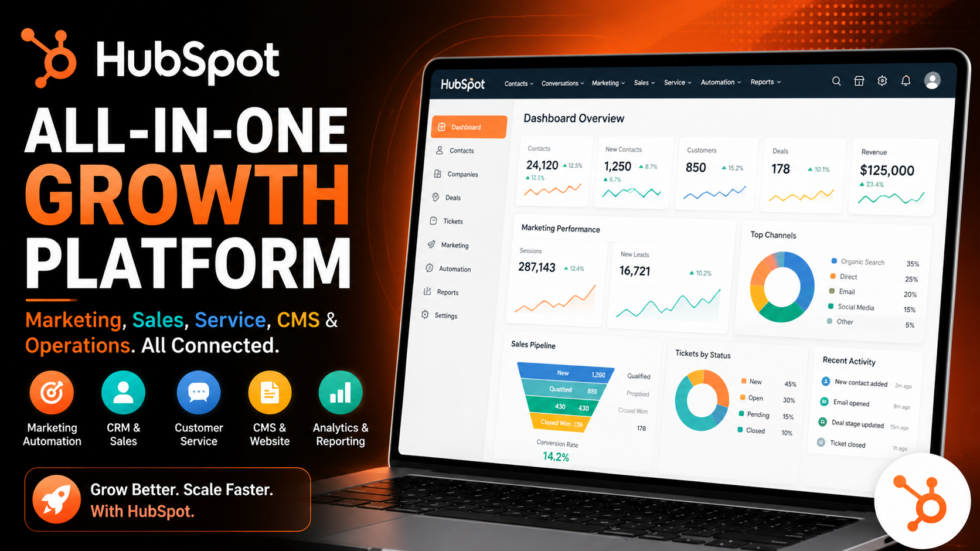
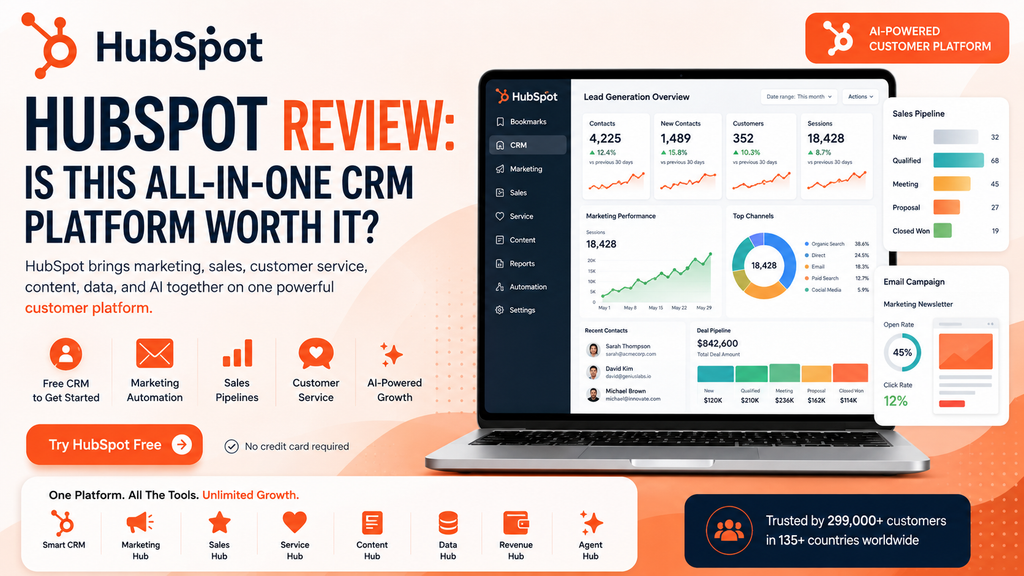
HubSpot is an AI-powered customer platform that brings marketing, sales, customer service, content, data management, revenue tools, and CRM into one connected ecosystem. Today, its core platform includes Smart CRM, Marketing Hub, Sales Hub, Service Hub, Content Hub, Data Hub, Revenue Hub, and Agent Hub.
The idea is straightforward:
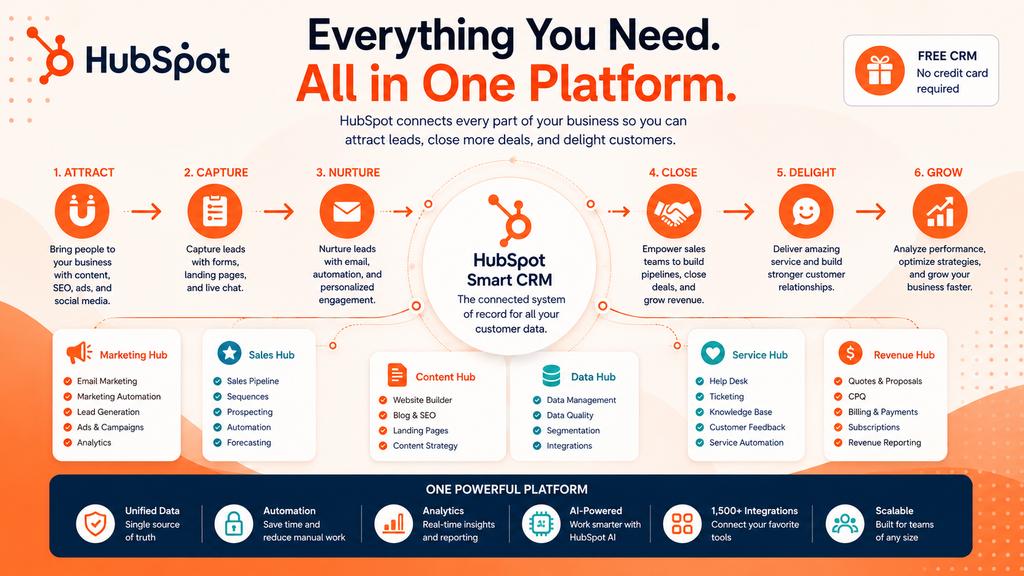
Attract Leads → Capture Customer Data → Nurture Prospects → Close Deals → Support Customers → Analyze Performance → Grow
HubSpot is also increasingly focused on AI. Its platform now includes AI assistants and specialized agents that can help teams research customers, prospect, create content, support customers, and analyze business data.
But HubSpot can become considerably more expensive as your requirements grow.
So, is it actually worth using?
This HubSpot review covers its CRM, Marketing Hub, Sales Hub, Service Hub, AI capabilities, pricing, advantages, limitations, and ideal users.
HubSpot Review: Quick Verdict
Best For: Startups, SMBs, marketing teams, sales organizations, customer-service teams, agencies, and growing companies that want customer data in one ecosystem.
Main Strength: Combines CRM, marketing, sales, service, content, data, revenue, automation, and AI around one customer database.
Main Limitation: Professional and Enterprise configurations can become expensive and more complex.
Free Plan: Yes. HubSpot’s free customer platform currently supports up to 2 users with no credit card required.
Standout Features: Smart CRM, marketing automation, sales pipelines, lead management, email marketing, customer service, content tools, reporting, AI agents, and customer-data management.
Verdict: HubSpot is especially attractive for businesses that want to replace disconnected sales and marketing tools with a platform that can grow alongside them.
What Is HubSpot?
HubSpot describes itself as an agentic customer platform.
At its foundation is HubSpot Smart CRM, which acts as the shared customer-data layer connecting the different products.
Its main ecosystem now consists of:
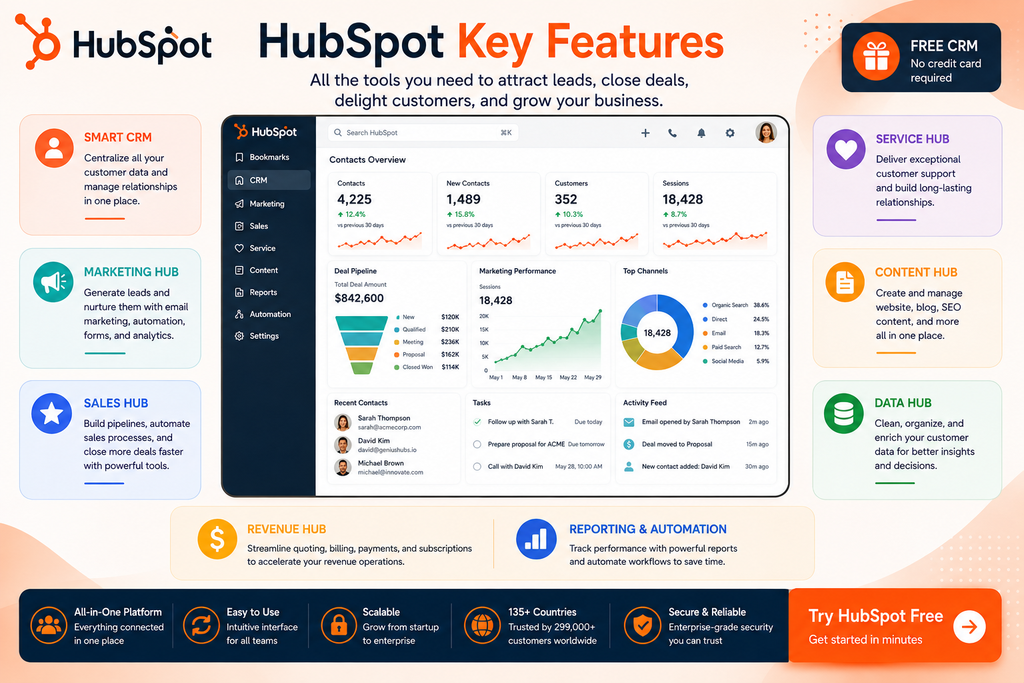
- Smart CRM – customer data and relationship management
- Marketing Hub – lead generation and marketing automation
- Sales Hub – pipelines, prospecting and sales automation
- Service Hub – customer service and retention
- Content Hub – websites and content marketing
- Data Hub – data management
- Revenue Hub – CPQ, billing and payments
- Agent Hub – AI agents and assistants
Rather than keeping every department isolated, HubSpot allows customer information to flow across the customer journey.
Visitor → Lead → Marketing → Sales → Customer → Service → Retention
That’s the central advantage of the platform.
1. HubSpot Smart CRM
HubSpot’s Smart CRM sits at the center of the ecosystem.
Teams can manage contacts, companies, deals, tasks, customer activity, conversations, and other relationship data from one environment.
The free CRM includes capabilities such as:
Contact Management • Deal Management • Tasks • Email Tracking • Templates • Meeting Scheduling • Live Chat • Quotes
Because other HubSpot products connect directly to Smart CRM, the information gathered by marketing can become useful to sales and service teams without maintaining completely separate customer databases.
2. Marketing Hub
Marketing Hub focuses on generating, nurturing, and converting leads.
Its functionality includes areas such as:
- Email marketing
- Forms
- Landing pages
- Marketing automation
- Lead management
- Ads
- SEO
- Campaign management
- Analytics
- AI-assisted marketing
Professional functionality expands into omnichannel campaigns, automation, reporting, and scalable demand generation.
A typical workflow might be:
Visitor → Landing Page → Form → CRM → Email Nurture → Lead Scoring → Sales
The major advantage is that marketing activity connects directly with customer and sales data.
3. Sales Hub
Sales Hub is designed to help teams build pipelines and close deals.
Its premium capabilities include:
Sales Workspace • Prospecting Agent • Sequences • Automation • Forecasting • Predictive Lead Scoring • Playbooks • Custom Objects
Sales representatives can manage opportunities from pipelines while maintaining visibility into previous customer interactions.
That creates a connected workflow:
Lead Identified → Research → Outreach → Meeting → Opportunity → Deal → Forecast
For larger teams, this can be considerably more organized than managing sales activity through spreadsheets and disconnected email tools.
4. Service Hub
HubSpot isn’t limited to acquiring customers.
Service Hub is designed for customer support, success, and retention.
Current premium capabilities include:
- Help desk
- Customer success workspace
- Knowledge base
- Customer feedback
- Ticket pipelines
- Skills-based routing
- Support automation
Because Service Hub shares the same CRM, support agents can understand the customer’s previous relationship with the business.
That means the customer journey doesn’t have to end when the sale closes.
5. Content Hub
Content Hub brings website and content marketing functionality into HubSpot.
Current capabilities include areas such as:
Website Builder • Landing Pages • Blog • Brand Voice • Content Remix • Podcasts • Personalization • SEO • AI Content Creation
For marketing teams, this creates an interesting connection:
Create Content → Generate Traffic → Capture Lead → Store in CRM → Nurture → Convert
Content isn’t isolated from CRM or revenue data.
Teams can better understand how marketing assets contribute to customer acquisition.
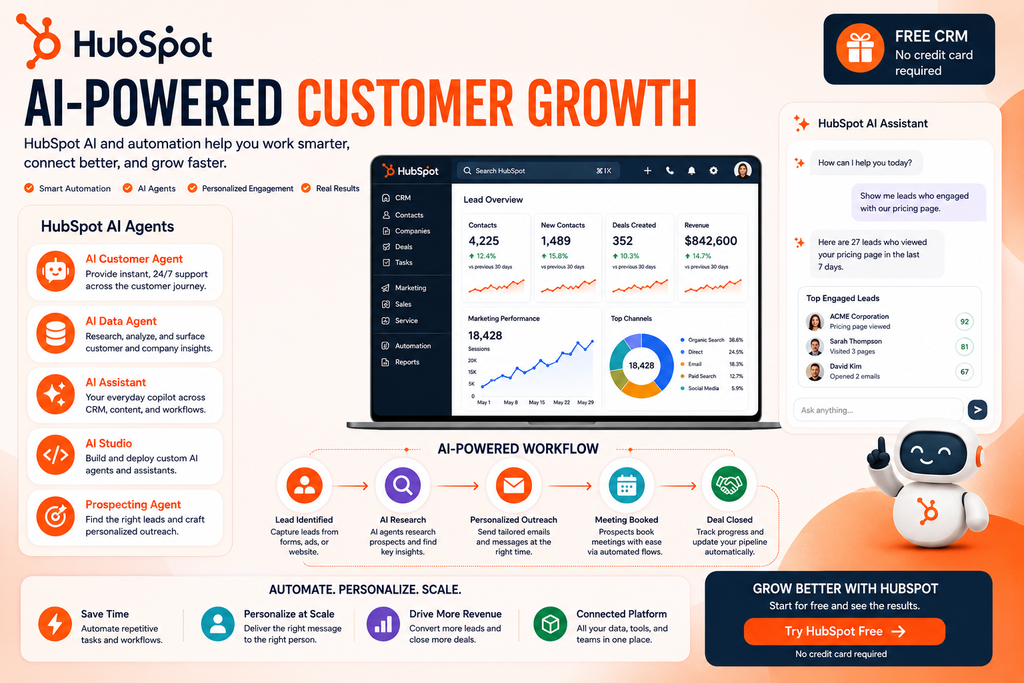
6. HubSpot AI & Agents
AI has become an increasingly important part of HubSpot.
The current platform includes specialized AI functionality such as:
AI Customer Agent – helps support customers across their journey.
AI Data Agent – researches and analyzes customer information.
AI Assistant – works alongside teams using customer, deal, and process context.
AI Studio – allows businesses to customize and deploy AI agents and assistants.
Prospecting Agent – assists sales prospecting and recommended outreach.
This creates a different proposition from using a generic AI chatbot separately.
HubSpot AI can work within the context of the CRM and customer platform.
7. Marketing Automation
Automation is another major reason businesses consider HubSpot.
Instead of manually moving leads between tools, workflows can automate customer journeys.
For example:
Form Submitted → Create Contact → Segment Lead → Send Email → Score Lead → Notify Sales → Create Task
HubSpot supports workflow automation across marketing, sales, and service processes.
This becomes increasingly valuable as lead volume grows.
8. Reporting & Analytics
HubSpot also connects customer activity with reporting.
Businesses can track performance across marketing, sales, service, and customer data rather than analyzing every department independently.
This can help answer questions such as:
Which campaigns generate leads?
Which leads become customers?
How healthy is our sales pipeline?
Which activities contribute to revenue?
How effectively are customers being supported?
Marketing Hub Professional also includes custom reporting and advanced analytics capabilities.
HubSpot Pricing
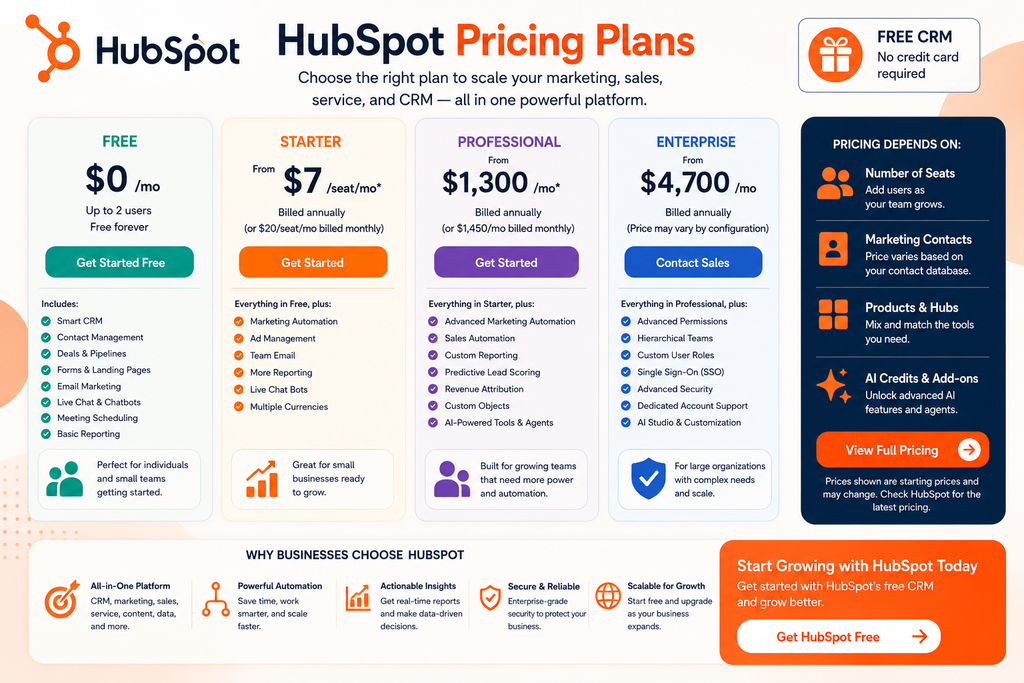
HubSpot pricing deserves careful attention because pricing varies substantially depending on the product, tier, number of seats, marketing contacts, and additional usage.
For the complete Customer Platform bundle, HubSpot currently lists:
| Plan | Starting Price | Best For |
|---|---|---|
| Free | $0/mo | Individuals & very small teams |
| Starter | From $7/seat/mo* | Small businesses |
| Professional | From $1,300/mo* | Growing teams |
| Enterprise | From $4,700/mo | Large organizations |
*The displayed promotional/annual pricing can differ from standard monthly pricing. HubSpot currently shows Starter’s standard monthly figure as $20/seat and Professional as $1,450/month when switching billing selections. Pricing can also vary by product and configuration.
Because of these variables, check the current configuration before purchasing.
Free
HubSpot’s Free customer platform currently costs $0/month and supports up to 2 users without requiring a credit card.
The free CRM can be surprisingly capable for getting started.
Popular functionality includes:
- Contact management
- Deals
- Tasks
- Forms
- Landing pages
- Email marketing
- Meeting scheduling
- Live chat
- Basic reporting
- Lead management
This makes HubSpot particularly easy to evaluate before committing to premium software.
HubSpot Pros and Cons
Pros
Excellent Free Entry Point: Small teams can start with useful CRM and growth tools without immediately purchasing a subscription.
All-in-One Ecosystem: Marketing, sales, service, content, data, revenue, and AI can operate around the same CRM.
Strong CRM Foundation: Customer information can follow the entire relationship rather than being trapped inside departmental software.
Marketing Automation: Strong option for businesses building sophisticated lead-nurturing workflows.
Sales Tools: Pipelines, sequences, prospecting, forecasting, and automation support larger sales processes.
Growing AI Platform: AI assistants and agents are increasingly integrated throughout HubSpot.
Scalable: HubSpot serves businesses ranging from very small teams to large enterprises. HubSpot says its platform currently serves more than 299,000 customers across 135+ countries.
HubSpot Cons
Premium Pricing Can Become Expensive: Professional and Enterprise bundles represent a substantial jump from Free and Starter.
Pricing Can Be Complex: Costs can depend on seats, contacts, product editions, AI credits, and other requirements.
Onboarding Fees: Some Professional and Enterprise products have mandatory onboarding charges. For example, Marketing Hub currently lists $3,000 Professional and $7,000 Enterprise onboarding fees.
Potentially Too Much for Simple Needs: A business needing only basic contact management may not need the complete HubSpot ecosystem.
Advanced Features Are Tiered: Many of the features that make HubSpot especially powerful require Professional or Enterprise editions.
Who Is HubSpot Best For?
Small Businesses
The Free and Starter tiers provide an accessible path into CRM, marketing, sales, and service software.
Marketing Teams
Marketing Hub combines lead generation, email, automation, campaigns, analytics, SEO, and CRM data.
Sales Teams
Sales Hub is suitable for organizations that need structured pipelines, prospecting, sequences, forecasting, and automation.
Customer Service Teams
Service Hub connects support activity with the same customer records used by marketing and sales.
Growing Companies
HubSpot becomes particularly compelling when several departments need to collaborate around the same customers.
HubSpot vs Using Separate Tools
| Capability | HubSpot | Separate Software Stack |
|---|---|---|
| CRM | ✅ | Separate Tool |
| Marketing Automation | ✅ | Separate Tool |
| Email Marketing | ✅ | Separate Tool |
| Sales Pipeline | ✅ | Separate Tool |
| Customer Service | ✅ | Separate Tool |
| Website & Content | ✅ | Separate Platform |
| Data Management | ✅ | Separate Tool |
| Revenue Tools | ✅ | Separate Tool |
| AI Agents | ✅ | Often Separate |
| Reporting | ✅ | Multiple Systems |
HubSpot’s advantage isn’t necessarily that every individual feature replaces every specialist platform.
Its advantage is connection.
Marketing, sales, service, content, data, and AI can operate around the same customer information.
Is HubSpot Worth It?
For a small team, HubSpot’s Free tools make the platform easy to recommend testing.
There is little need to decide immediately whether you need a large CRM deployment.
You can start with:
CRM → Contacts → Deals → Forms → Email → Meetings → Live Chat
and expand when your requirements grow.
For established businesses, the decision becomes more complicated.
Professional and Enterprise plans can become expensive, but the comparison shouldn’t be made against a basic CRM alone.
The better question is whether HubSpot can replace enough separate CRM, marketing, sales, support, content, analytics, automation, and AI software to justify the investment.
For organizations where several teams work around the same customer journey, that unified approach can be very valuable.
Frequently Asked Questions
What Is HubSpot?
HubSpot is an AI-powered customer platform combining Smart CRM with marketing, sales, customer service, content, data management, revenue, and AI tools.
Is HubSpot Free?
Yes. HubSpot currently offers a Free Customer Platform for up to two users with no credit card required.
Is HubSpot a CRM?
Yes, but it now goes considerably beyond traditional CRM. Smart CRM forms the data foundation connecting HubSpot’s marketing, sales, service, content, data, and revenue products.
Does HubSpot Have AI?
Yes. HubSpot currently provides AI assistants and agents for areas including customer support, data analysis, prospecting, content, and other business workflows.
Is HubSpot Good for Small Businesses?
Yes. Its Free and Starter offerings make HubSpot particularly accessible to smaller businesses, although teams should evaluate future costs before adopting more advanced tiers.
Is HubSpot Good for Marketing Automation?
Yes. Marketing Hub includes automation, lead generation, campaign management, analytics, email, and other marketing capabilities, with more sophisticated automation available on higher tiers.
Final Verdict: Should You Use HubSpot?
HubSpot has grown far beyond its original reputation as an inbound marketing tool.
Today, it provides an integrated platform connecting CRM, marketing, sales, customer service, content, data management, revenue operations, automation, and AI.
Best For: Small and growing businesses, marketing teams, sales organizations, customer-service teams, and companies that want a unified customer platform.
Main Strength: One connected customer database powering multiple business functions.
Main Limitation: Pricing and complexity increase significantly as organizations move into advanced Professional and Enterprise functionality.
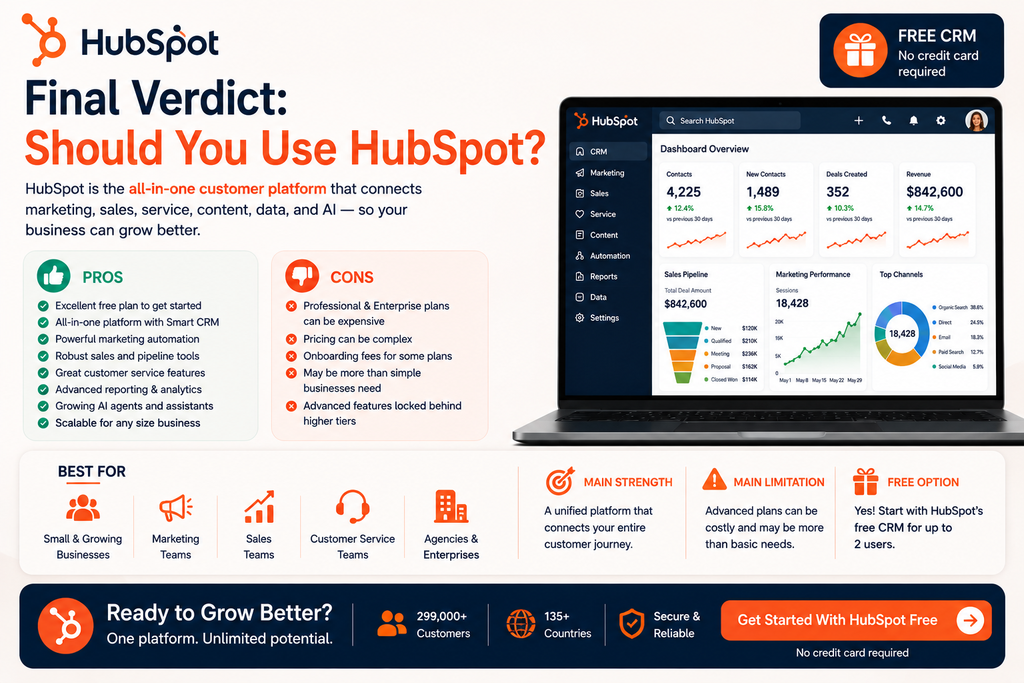
Free Option: Yes.
Final Verdict: HubSpot is worth considering if customer data is currently fragmented across several tools. Its Free CRM provides an excellent starting point, while its broader customer platform offers a clear upgrade path for businesses that eventually need sophisticated marketing, sales, service, automation, content, data, and AI capabilities.