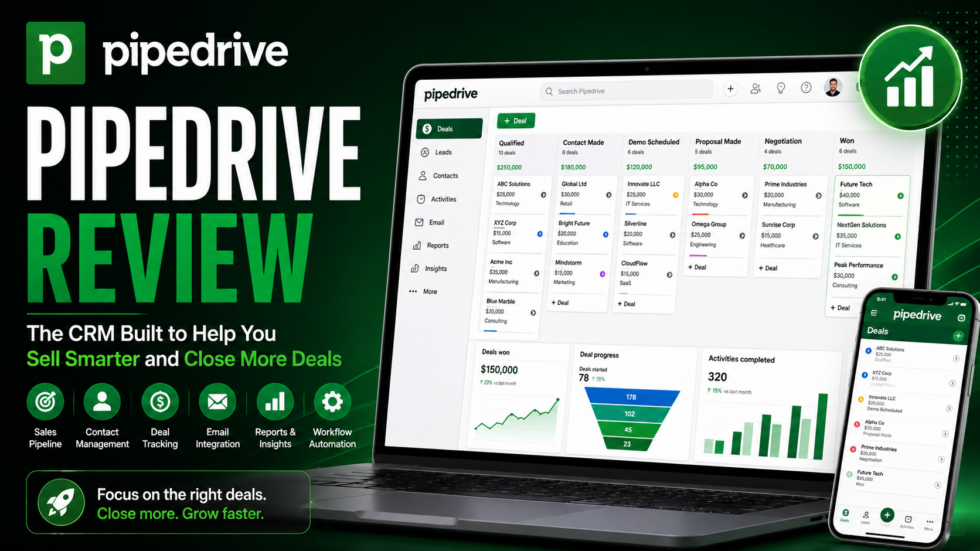
Managing sales becomes difficult when leads, emails, meetings, follow-ups, deals, and customer information are scattered across different tools.
Sales reps need to know which deals require attention, who needs a follow-up, what stage each opportunity is in, and what actions are most likely to move a deal forward.
That’s exactly what Pipedrive is designed to simplify.
Pipedrive is a sales-focused CRM platform built around visual pipelines, lead and deal management, email communication, workflow automation, reporting, forecasting, AI-powered assistance, and integrations with more than 500 apps.
Unlike CRM platforms that try to manage every department equally, Pipedrive remains heavily focused on one central goal:
Helping sales teams manage their pipeline and close more deals.
Pipedrive has also expanded its AI functionality with AI-assisted reports, Sales Assistant, AI email creation, smart app recommendations, notifications, email summaries, and suggested replies on eligible plans.
But is Pipedrive still worth choosing over other CRM platforms?
This Pipedrive review covers its major features, AI capabilities, pricing structure, advantages, limitations, and ideal users.
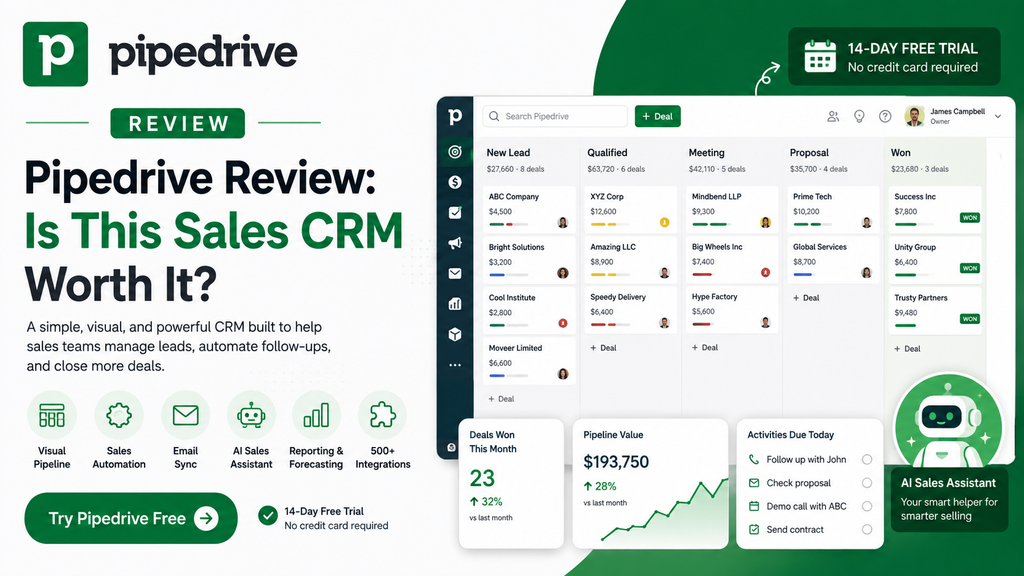
Pipedrive Review: Quick Verdict
Best For: Sales teams, small businesses, agencies, consultants, account managers, B2B companies, and organizations that want a straightforward sales CRM.
Main Strength: One of the clearest visual sales-pipeline experiences, supported by automation, email tools, reporting, and AI.
Main Limitation: Businesses that need advanced marketing automation, customer support, or an all-in-one customer platform may require additional software.
Plans: Lite, Growth, Premium, and Ultimate.
Free Trial: Pipedrive currently offers a 14-day free trial with no credit card required.
Integrations: More than 500 apps and integrations.
Verdict: Pipedrive is particularly strong for businesses that want salespeople spending less time managing CRM software and more time moving opportunities through the pipeline.
What Is Pipedrive?
Pipedrive is a web-based sales CRM designed around the activities salespeople perform every day.
Its main workspace helps teams manage:
- Leads
- Deals
- Contacts
- Sales pipelines
- Emails
- Meetings
- Tasks
- Products
- Revenue forecasts
- Automations
- Reports
- AI tools
Pipedrive’s plans all include customizable sales pipelines and core deal-management functionality.
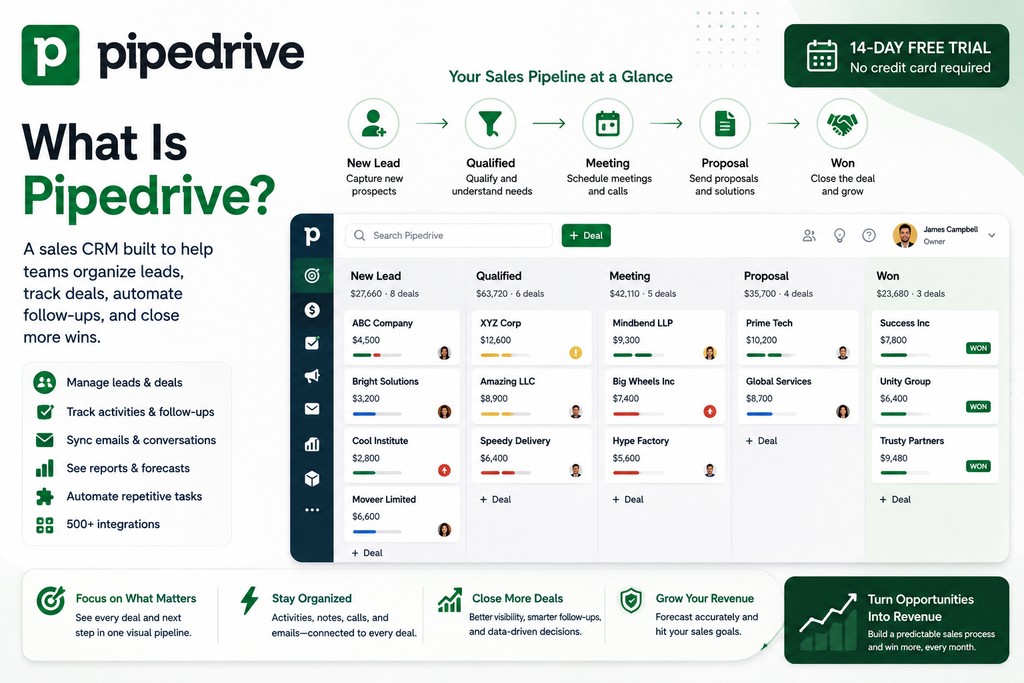
A typical sales process could look like:
New Lead → Qualified → Meeting → Proposal → Negotiation → Won
Each deal can be moved visually through the pipeline as it progresses.
That simple concept is one of the biggest reasons Pipedrive remains attractive to sales-focused teams.
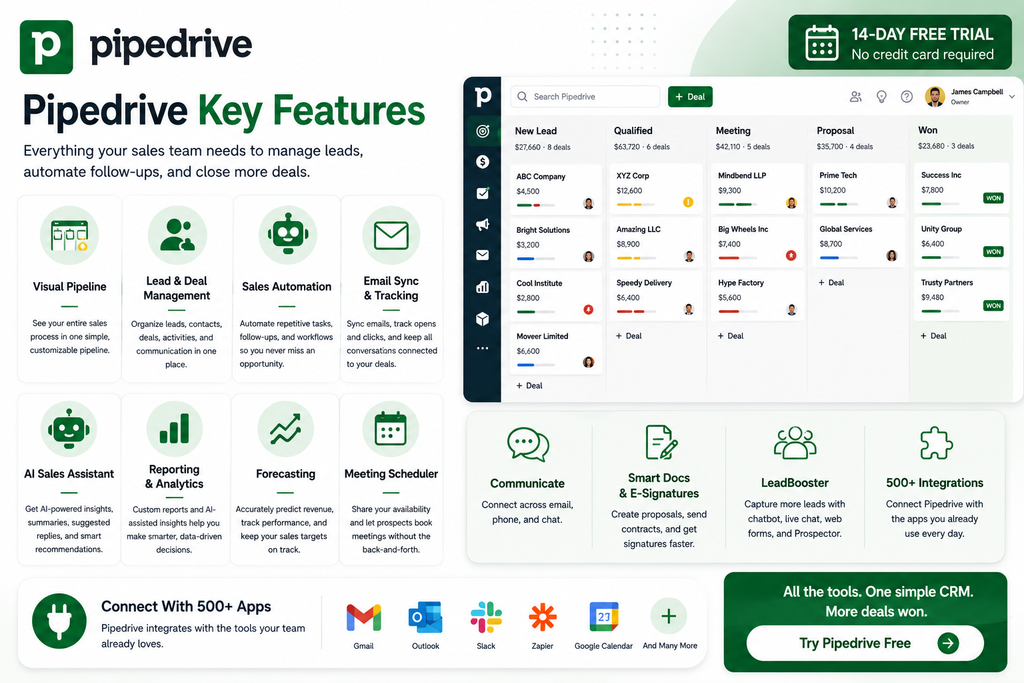
1. Visual Sales Pipeline
The visual pipeline is the heart of Pipedrive.
Instead of managing opportunities in complicated spreadsheets, teams can organize deals into customizable stages.
A representative pipeline might include:
New Lead → Contacted → Qualified → Demo → Proposal → Closed
Salespeople can quickly identify:
- Active opportunities
- Deal value
- Pipeline stage
- Upcoming activities
- Overdue follow-ups
- Deal ownership
Pipedrive also supports customizable deal cards and deal-rotting indicators to help identify opportunities that may be going cold.
The advantage is visibility.
A salesperson can open Pipedrive and immediately understand what needs attention next.
2. Lead & Deal Management
Pipedrive lets businesses manage both leads and active sales opportunities.
Contacts, companies, deals, products, activities, and communication history can remain connected.
Rather than treating CRM as a static address book, Pipedrive focuses on moving opportunities toward a sale.
Teams can track:
Lead → Contact → Activity → Deal → Revenue
This is especially useful for businesses with repeatable sales processes.
3. Sales Automation
Manual follow-ups can consume a surprising amount of a sales rep’s day.
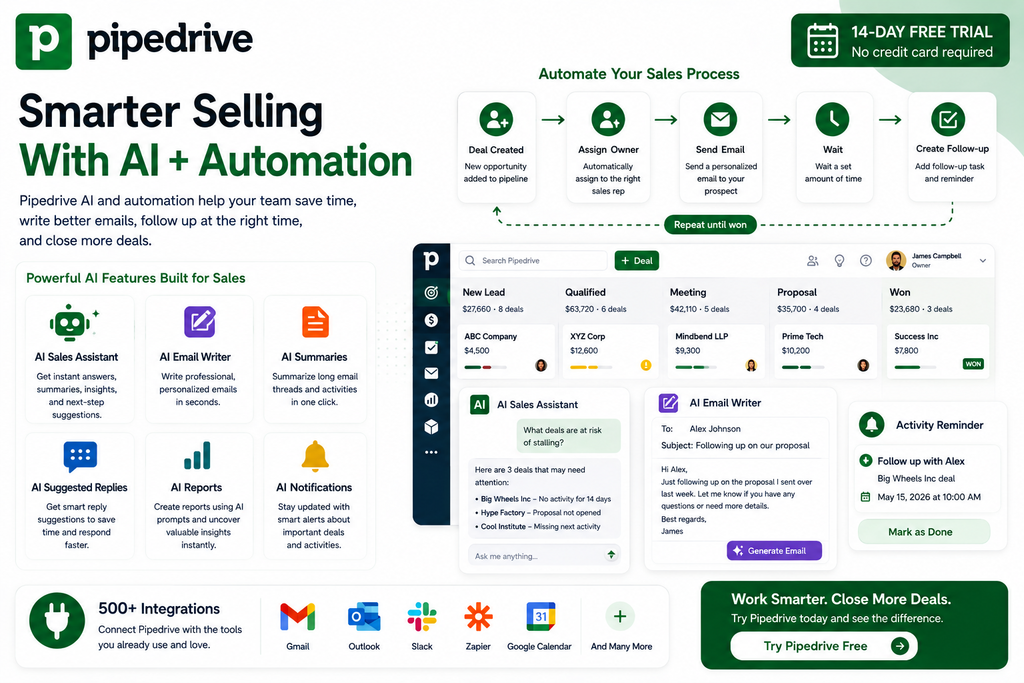
Growth and higher plans introduce workflow automation and nurturing sequences that can automate repetitive sales actions.
For example:
Deal Created → Assign Sales Rep → Send Email → Wait 2 Days → Create Follow-Up Task
or:
Deal Moves Stage → Notify Manager → Schedule Activity
Automation reduces the chance that promising opportunities are forgotten simply because someone missed a task.
4. Email Sync & Tracking
Email is still central to most B2B sales processes.
Pipedrive’s Growth plan and higher tiers support full email synchronization, including Gmail, Outlook, or company email accounts. Users can also track email opens and link clicks.
This creates a much more connected workflow:
CRM Contact → Email Conversation → Follow-Up → Deal Activity
rather than keeping email history separate from CRM records.
Premium adds more advanced AI-powered email functionality.
5. Pipedrive AI
Pipedrive has increasingly incorporated AI directly into the sales workflow.
Current AI capabilities include:
- AI import assistant
- AI-assisted report creation
- AI-powered Marketplace search
- Smart app recommendations
- Sales Assistant
- AI email creation
- AI-powered notifications
- AI email summarization
- AI suggested replies
Some AI email features are currently limited to Premium and Ultimate plans, while others are available across all tiers.
6. AI Sales Assistant
The Sales Assistant is Pipedrive’s AI-powered helper.
It can answer questions through text or voice, summarize information, generate notes and emails, explain Pipedrive functionality, and provide context-aware assistance based on where the user is working inside the platform.
That means AI can become part of a normal CRM workflow rather than requiring salespeople to repeatedly switch to another application.
A sales rep could use it to:
Ask Question → Review Context → Generate Copy → Take Action
The goal is less administrative work and faster decision-making.
7. Reporting & Analytics
Sales managers need more than a list of deals.
Pipedrive provides reporting tools to monitor sales performance and pipeline activity.
Users can analyze areas such as:
- Revenue
- Deal performance
- Conversion
- Activities
- Pipeline progress
- Forecasts
Pipedrive now also supports AI-assisted report creation, allowing users to generate reports using text input or pre-written prompts.
This can make analytics more approachable for users who don’t want to manually configure every report.
8. Revenue Forecasting
Sales teams need to understand not only what has closed, but what may close next.
Growth and higher plans include forecasting functionality for revenue and subscriptions.
A manager can use pipeline information to better understand:
Current Deals → Expected Revenue → Sales Target → Potential Gap
Forecasting becomes particularly valuable for larger teams where leadership can’t manually inspect every opportunity.
9. Meeting Scheduler
Pipedrive includes meeting-scheduling functionality on Growth and higher tiers.
Customers or prospects can choose an available meeting time without long email exchanges.
A simple workflow becomes:
Lead → Scheduling Link → Meeting Booked → CRM Updated → Follow-Up
For sales teams that schedule many demonstrations or consultations, this can remove a surprising amount of administrative work.
10. LeadBooster
Pipedrive also offers LeadBooster, a collection of tools designed to help businesses capture additional prospects.
On the current pricing structure, LeadBooster is included with Premium and Ultimate while remaining an optional add-on for lower tiers.
Premium’s lead-generation functionality includes tools such as:
- Chatbot
- Live Chat
- Prospector
- Web Forms
This helps extend Pipedrive beyond managing existing opportunities into generating new ones.
11. Smart Docs & E-Signatures
Sales teams frequently need to send proposals, quotations, and contracts.
Premium includes functionality for creating and tracking sales documents and sending contracts with electronic signatures.
This creates a more connected process:
Deal → Proposal → Contract → Signature → Closed
instead of requiring representatives to manually move information between CRM and document platforms.
12. 500+ Integrations
No CRM operates entirely on its own.
Pipedrive currently advertises 500+ integrations, including connections to applications used for communication, productivity, automation, and sales workflows.
This allows businesses to build workflows involving Pipedrive and the other software they already use.
The Marketplace also incorporates AI-powered search and smart app recommendations.
Pipedrive Pricing
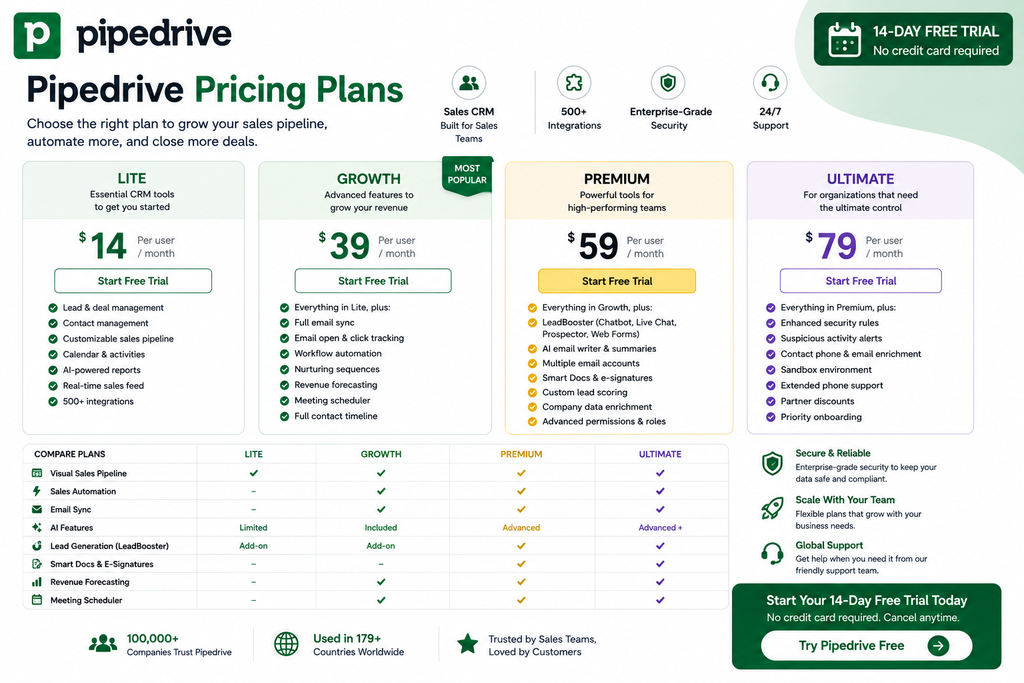
Pipedrive recently simplified its pricing structure into four main plans:
| Plan | Best For |
|---|---|
| Lite | Basic sales CRM |
| Growth | Growing sales teams |
| Premium | Advanced sales organizations |
| Ultimate | Larger teams needing full functionality |
The previous Essential, Advanced, Professional/Power, and Enterprise structure transitioned to these newer tiers.
Pipedrive prices subscriptions per seat, and the final cost depends on your plan, billing cycle, number of seats, add-ons, location, and currency. Annual billing can currently provide discounts of up to roughly 42–44%, depending on the offer and location.
Because pricing is localized, check Pipedrive’s live pricing page for the exact amount shown in your country.
Lite
Lite is the entry-level plan.
It includes core functionality such as:
- Lead management
- Deal management
- Contact management
- Calendar management
- Customizable pipelines
- AI-powered report creation
- Real-time sales feed
- 500+ integrations
Lite makes the most sense for small teams that primarily want a visual sales CRM.
Growth
Growth adds tools designed to reduce manual sales work.
Current features include:
- Full email synchronization
- Email open and click tracking
- Workflow automation
- Nurturing sequences
- Revenue forecasting
- Subscription tracking
- Meeting scheduler
- Full contact timelines
For many active sales teams, Growth may represent the practical sweet spot.
Premium
Premium is currently positioned as Pipedrive’s most popular plan.
It adds more sophisticated functionality including:
- LeadBooster
- Lead routing
- Custom lead scoring
- Company data enrichment
- AI email writing
- Email summaries and replies
- Multiple email accounts
- Shared inboxes
- Contracts
- E-signatures
- Advanced permissions
- More customization
Premium is better suited to established teams with more complex sales workflows.
Ultimate
Ultimate adds Pipedrive’s highest-level standard capabilities.
These currently include:
- Enhanced account-security rules
- Suspicious-activity alerts
- Contact phone and email enrichment
- Sandbox testing
- Extended phone support
- Partner discounts
- Everything included in Premium
This tier makes the most sense for larger teams requiring stronger security, testing, and support.
Pipedrive Pros and Cons
Pros
Excellent Visual Pipeline: One of Pipedrive’s clearest strengths is how easy it is to understand deal progress.
Sales-Focused Design: The platform is built primarily around closing deals instead of trying to be every type of business software.
Useful Automation: Follow-ups, workflows, and sequences help reduce repetitive work.
Strong Email Integration: Sales conversations and CRM records remain connected.
Growing AI Toolkit: AI reports, Sales Assistant, email creation, notifications, summaries, and replies can accelerate everyday sales tasks.
500+ Integrations: Teams can connect Pipedrive to a large ecosystem of third-party applications.
14-Day Trial: Businesses can test the complete system before subscribing.
Pipedrive Cons
Sales First, Not Everything First: Businesses looking for a complete marketing, support, CMS, and customer platform may need additional software.
Pricing Is Per Seat: Costs rise as more users join the CRM.
Advanced Features Require Higher Plans: LeadBooster, AI email capabilities, document tools, enrichment, and stronger permissions are tied to Premium/Ultimate or add-ons.
Add-Ons Can Increase Cost: Campaigns, Web Visitors, and other additional tools can increase the total subscription price.
Who Is Pipedrive Best For?
Small Sales Teams
Pipedrive’s visual pipeline makes it particularly easy for small teams to organize opportunities without building a complicated CRM environment.
B2B Companies
Businesses with a structured sales process can track prospects from qualification through closing.
Agencies & Consultants
Agencies and consultants can use pipelines to manage proposals, client opportunities, meetings, and follow-up activities.
Growing Sales Organizations
Growth and Premium provide automation, email synchronization, forecasting, AI, lead generation, and reporting tools that become more valuable as sales volume increases.
Account Managers
Teams managing multiple active customer opportunities can use activities, reminders, timelines, and pipelines to avoid losing track of important follow-ups.
Pipedrive vs Traditional Spreadsheets
| Feature | Pipedrive | Spreadsheet |
|---|---|---|
| Visual Pipeline | ✅ | Manual |
| Deal Tracking | ✅ | Manual |
| Email Sync | ✅ | ❌ |
| Sales Automation | ✅ | ❌ |
| AI Assistant | ✅ | ❌ |
| Activities & Reminders | ✅ | Manual |
| Forecasting | ✅ | Manual |
| Reporting | ✅ | Manual |
| Lead Generation | ✅ | Separate |
| Mobile CRM | ✅ | Limited |
Pipedrive replaces a workflow like:
Spreadsheet → Email → Calendar → Notes → Manual Reminder
with:
CRM → Activity → Automation → Follow-Up → Deal
Is Pipedrive Worth It?
Pipedrive is most valuable when a business has a repeatable sales process.
If your team regularly asks:
Who needs a follow-up?
Which opportunities are closest to closing?
Which deals are getting stuck?
How much revenue is currently in the pipeline?
then Pipedrive solves a very real operational problem.
Its interface is less intimidating than many large enterprise CRM systems, while Growth and Premium provide enough automation, email, AI, lead generation, forecasting, and reporting functionality for increasingly sophisticated teams.
The platform may be less attractive if you’re looking for one application to manage marketing, content, customer service, and sales equally.
But if your priority is simply:
Manage Leads → Follow Up → Move Deals → Close Sales
Pipedrive remains a compelling CRM.
Frequently Asked Questions
What Is Pipedrive?
Pipedrive is a web-based sales CRM designed to help businesses manage leads, contacts, activities, sales pipelines, deals, communication, reporting, and automation.
Does Pipedrive Have a Free Plan?
Pipedrive currently promotes a free trial rather than a permanent Free plan.
Does Pipedrive Have a Free Trial?
Yes. Pipedrive currently offers a 14-day free trial with no credit card required.
Does Pipedrive Use AI?
Yes. Pipedrive includes AI-assisted reporting, Sales Assistant, Marketplace search, app recommendations, and additional AI email features on higher plans.
Does Pipedrive Integrate With Other Apps?
Yes. Pipedrive currently advertises more than 500 integrations.
Is Pipedrive Good for Small Businesses?
Yes. Its visual pipeline and sales-focused interface make Pipedrive especially suitable for small and growing sales teams.
Which Pipedrive Plan Is Best?
Lite works for basic CRM requirements, Growth adds email and automation, Premium provides stronger AI, lead generation and document tools, while Ultimate adds advanced security and support.
Final Verdict: Should You Use Pipedrive?
Pipedrive succeeds because it remains focused on the part of CRM that matters most to many sales teams:
Moving opportunities toward a close.
Its combination of visual pipelines, lead management, email synchronization, workflow automation, AI assistance, forecasting, reporting, meeting scheduling, lead generation, document tools, and 500+ integrations creates a strong sales-management environment.
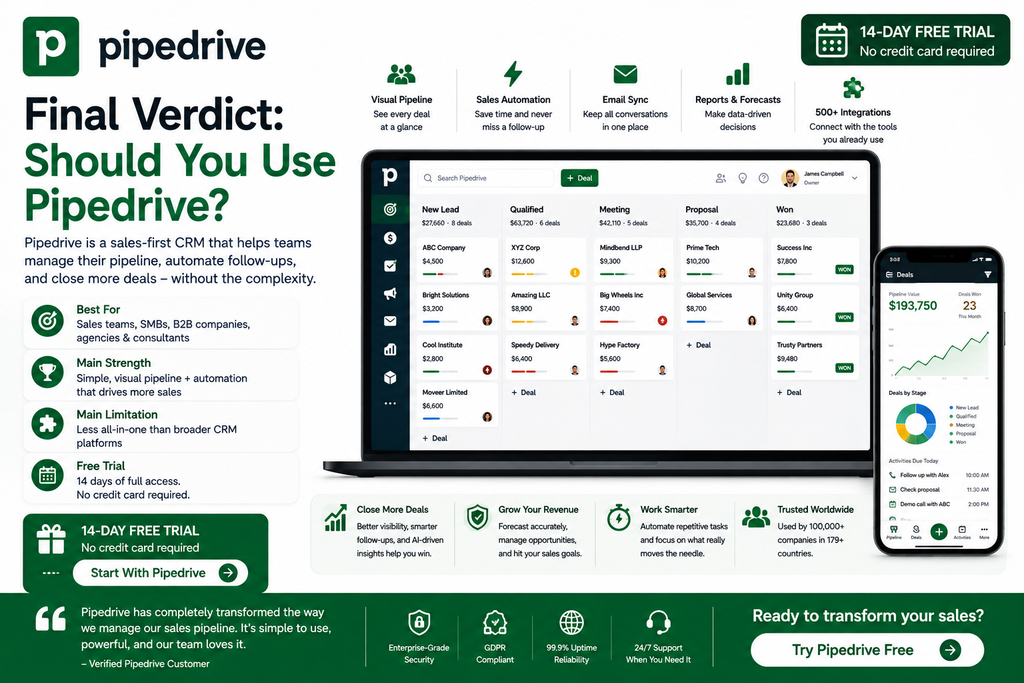
Best For: Small and growing sales teams, B2B companies, agencies, consultants, and account managers.
Main Strength: Simple, highly visual sales-pipeline management backed by automation and AI.
Main Limitation: Less suitable as a complete marketing-and-service customer platform than broader CRM suites.
Free Trial: 14 days.
Final Verdict: Pipedrive is worth considering if sales pipeline visibility and follow-up discipline are your biggest CRM priorities. It provides enough structure to keep deals organized without forcing salespeople into an unnecessarily complicated system.