Meshy AI Review 2026: Pricing, Features, Pros & Cons
Read our Meshy AI review 2026 covering Text to 3D, Image to 3D, pricing, features, pros, cons, and whether Meshy is worth it.
Affiliate Disclosure: We may earn a commission if you sign up through links on this page, at no additional cost to you. This does not influence our editorial evaluation.
Creating a quality 3D model traditionally requires modeling skills, specialized software, and significant production time. Meshy AI aims to make that process much faster by turning text prompts, images, sketches, and concepts into usable 3D assets with AI.
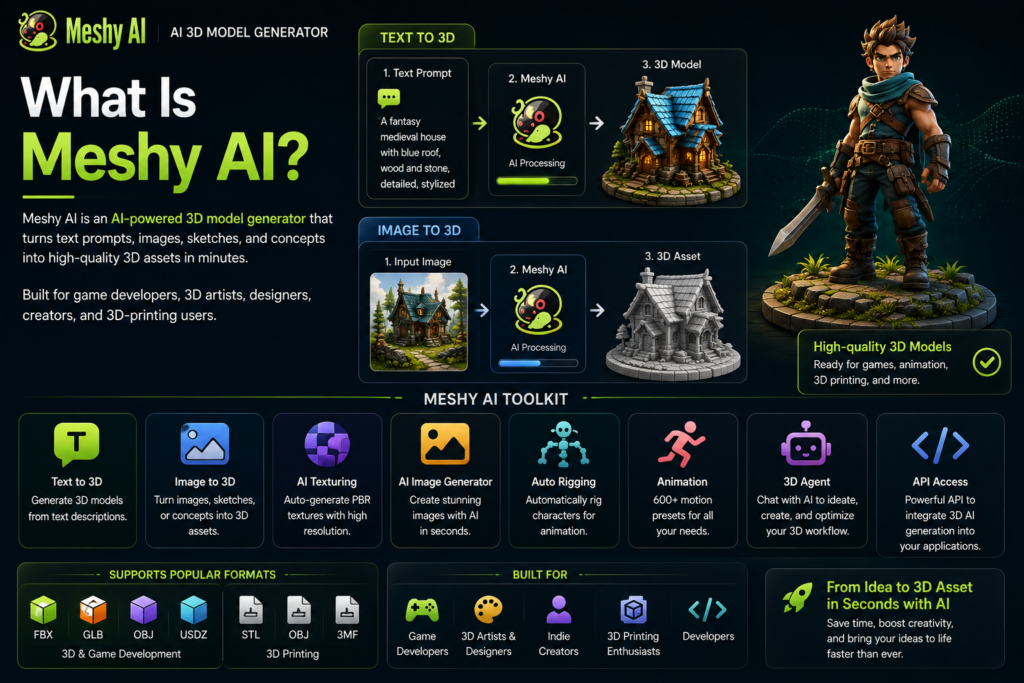
Meshy describes itself as an AI 3D model generator built for game developers, 3D artists, designers, creators, and 3D-printing users. Its current toolkit includes Text to 3D, Image to 3D, AI Texturing, an AI Image Generator, automatic rigging and animation, 3D Agent, and an API.
But how useful is Meshy in practice, and is a paid plan worth it?
This Meshy AI review 2026 covers the features, pricing, advantages, limitations, and ideal use cases you should know about.
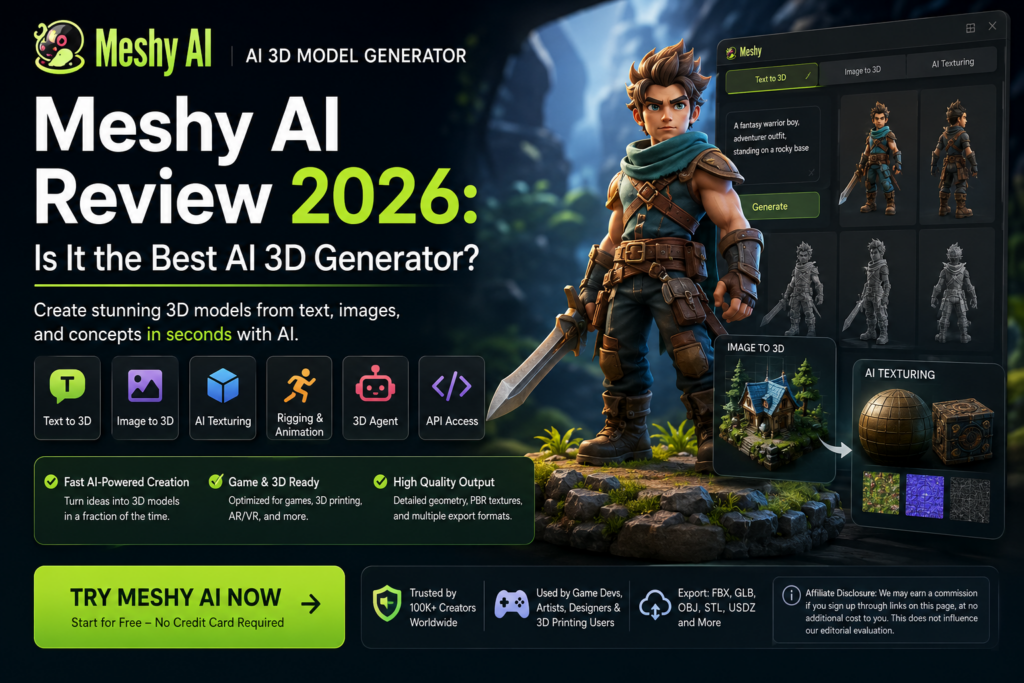
Meshy AI Review: Quick Verdict
Best For: Game developers, 3D artists, designers, indie creators, 3D-printing enthusiasts, and developers building 3D applications.
Main Strength: Quickly converts text or images into editable 3D assets.
Main Limitation: AI-generated models can still require refinement for demanding professional workflows.
Free Plan: Yes — currently 100 credits per month.
Paid Plans: Pro, Premium, Ultra, Studio, and Enterprise options are available depending on individual or team needs.
Verdict: Meshy is one of the more complete AI-powered 3D creation platforms to consider if you want to accelerate asset generation without modeling every object manually.
What Is Meshy AI?
Meshy is a generative AI platform focused specifically on 3D content creation.
Instead of manually building a model from an empty scene, users can provide Meshy with a description or reference image and let AI generate the initial 3D asset.
Its official platform currently supports:
- Text to 3D
- Image to 3D
- AI Texturing
- 3D Agent
- AI Image Generation
- Auto Rigging
- Animation
- Low-Poly generation
- API access
- 3D-printing workflows
Meshy also supports common formats such as FBX, GLB, OBJ, and USDZ, while its 3D-printing workflow supports formats including STL, OBJ, and 3MF.
That makes Meshy useful beyond experimentation: generated assets can move into other parts of a traditional 3D workflow.
Meshy AI Key Features
Text to 3D
Text to 3D lets you describe the object you want and generate a 3D model from that description.
For example, instead of manually modeling an environment prop, you can describe its appearance and use the generated result as a starting point.
This is particularly useful for rapid prototyping and concept exploration.
Image to 3D
Image to 3D converts a photo, sketch, or concept image into a 3D asset.
Meshy positions the feature for applications including games, 3D printing, and further 3D refinement.
For creators who already have concept art, this can be more predictable than relying exclusively on a text prompt.
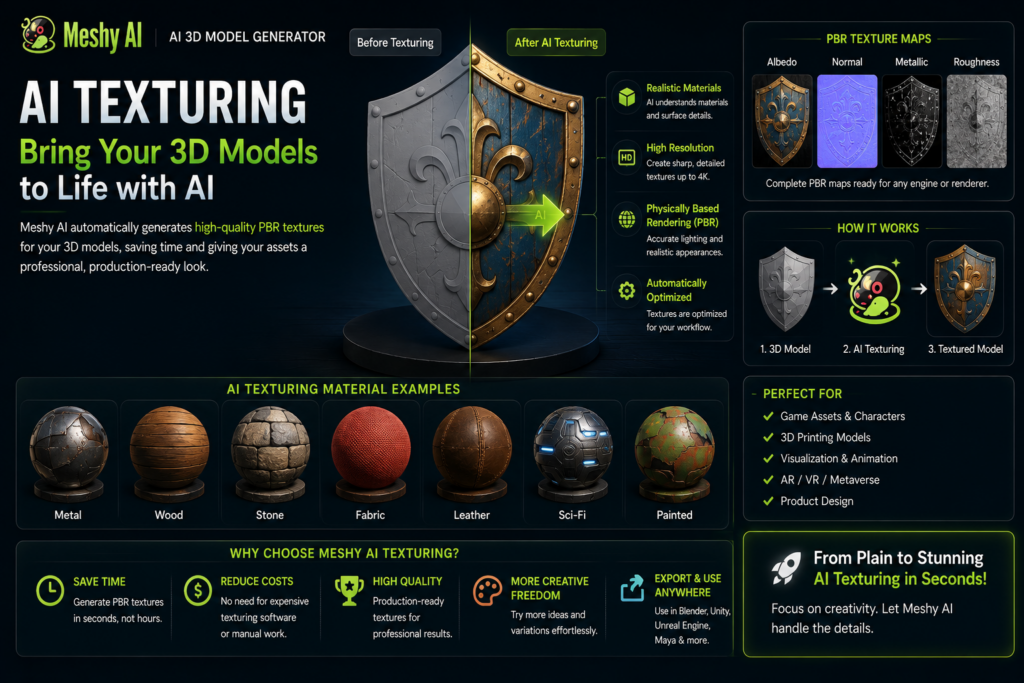
AI Texturing
Meshy can automatically generate PBR textures.
Its current workflow can produce maps including:
- Albedo
- Normal
- Metallic
- Roughness
Meshy also advertises high-resolution texture options, making the platform useful not only for mesh creation but also for producing more complete assets.
Rigging & Animation
Meshy can automatically rig supported characters and apply animation presets.
The current website advertises 600+ motion presets covering movements such as walking, jumping, attacks, idle animations, and gestures.
This makes Meshy more interesting for game-development workflows than an AI tool that only outputs static geometry.
3D Agent
Meshy’s 3D Agent provides a conversational way to work with the platform.
Users can discuss ideas, turn 2D concepts into 3D assets, and get assistance with 3D-related workflows.
Meshy API
Developers can integrate Meshy’s generation technology into their own applications and production pipelines through the Meshy API.
The API uses a credit-based pricing model, with credit consumption varying according to the generation operation and model used.
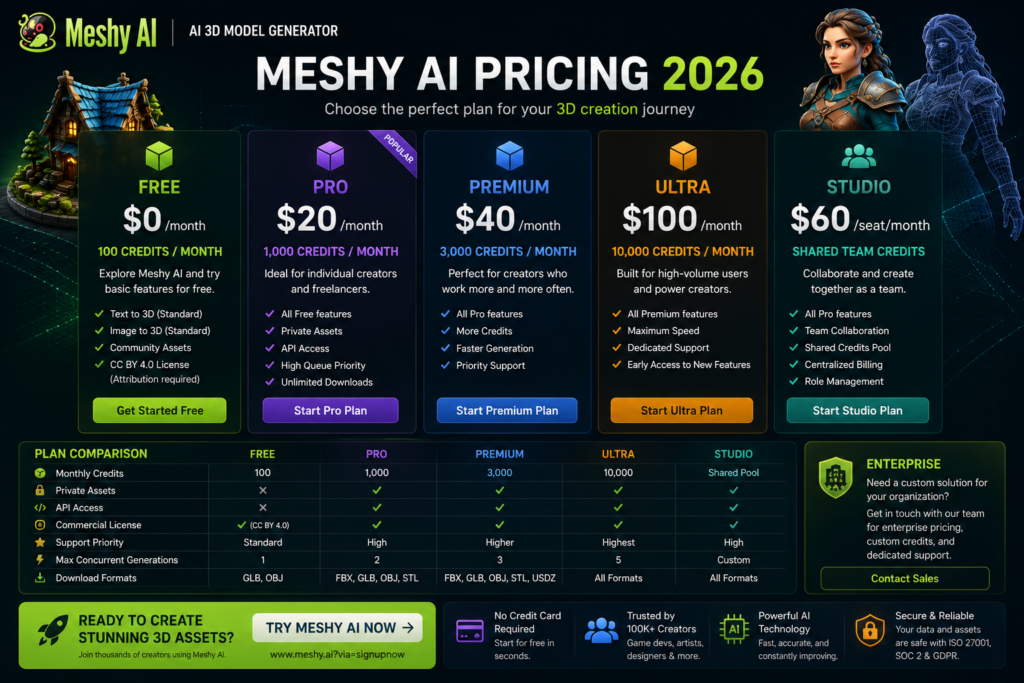
Meshy AI Pricing 2026
Meshy’s current individual plans include Free, Pro, Premium, and Ultra, while teams can use Studio and larger organizations can contact Meshy about Enterprise.
| Plan | Monthly Price | Credits | Best For |
|---|---|---|---|
| Free | $0 | 100/month | Testing Meshy |
| Pro | $20/month | 1,000/month | Solo creators |
| Premium | $40/month | 3,000/month | Frequent creators |
| Ultra | $100/month | 10,000/month | High-volume users |
Pricing and promotions can change, so check Meshy’s live pricing page before purchasing.
Meshy Free
The Free plan currently provides 100 credits per month with no credit card required.
Free-plan outputs use a CC BY 4.0 license, meaning commercial use is allowed with attribution.
Meshy Pro
At its standard monthly price of $20/month, Pro includes 1,000 monthly credits, higher queue priority, API access, unlimited model downloads, and private asset ownership options.
For freelancers and indie developers, this is likely the most natural starting point after Free.
Premium & Ultra
Premium raises the allowance to 3,000 credits/month, while Ultra provides 10,000 credits/month and is intended for significantly heavier generation workloads.
Meshy Studio
Studio is designed for collaborative teams. The current documentation lists it at $60 per seat/month, or an annual equivalent of $48 per seat/month when billed annually, with shared team credits.
Meshy AI Pros and Cons
Pros
Fast 3D Generation: Meshy can significantly shorten the journey from an idea or image to an initial 3D model.
Text and Image Workflows: Supporting both Text to 3D and Image to 3D gives creators multiple ways to start.
AI Texturing: Integrated PBR texturing reduces the need for a completely separate texturing workflow.
Animation Tools: Automatic rigging and hundreds of animation presets extend Meshy beyond static model generation.
Useful Export Formats: Support for common 3D formats makes generated assets easier to move into existing pipelines.
Free Plan: Users can test the platform before paying.
Cons
AI Models May Need Refinement: Professional production assets may still require manual cleanup or adjustment.
Credit-Based Usage: Frequent generation and experimentation can consume credits quickly.
Free Plan Limitations: The free tier has lower limits and different licensing conditions than paid plans.
Not a Complete Replacement for 3D Software: Advanced artists will still need traditional modeling, sculpting, animation, or rendering software for many workflows.
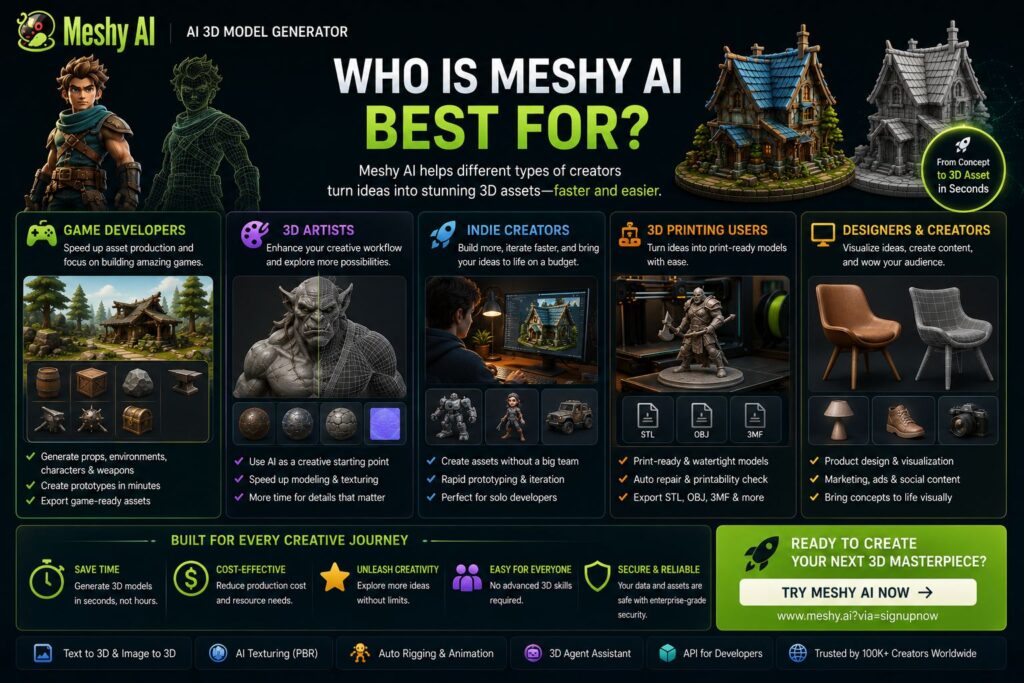
Who Is Meshy Best For?
Game Developers: Meshy can accelerate the production of props, concepts, characters, textures, and prototype assets.
3D Artists: Artists can use AI-generated models as starting points rather than building every concept from scratch.
Indie Developers: Small teams can rapidly experiment with more visual ideas without needing a large asset-production pipeline.
3D Printing Creators: Meshy has increasingly emphasized print-ready workflows, including printability checks, auto-repair, and relevant export formats.
Developers: API access makes Meshy useful for applications that need automated 3D generation.
Meshy AI Alternatives
Users evaluating Meshy should compare it with other AI 3D-generation platforms based on model quality, topology, texturing, animation support, export formats, API availability, commercial licensing, and cost per generation.
Meshy’s main advantage is the breadth of its workflow. It combines generation, texturing, topology options, rigging, animation, 3D-printing features, and API access rather than focusing on only one part of AI 3D creation.
For professional users, the best choice will depend heavily on whether the final assets are intended for games, visualization, prototyping, animation, or 3D printing.
Is Meshy AI Safe and Legit?
Meshy’s official site currently displays ISO 27001:2022, SOC 2, and GDPR references, and the company maintains public documentation covering subscriptions, licensing, billing, APIs, and product usage.
As with any cloud-based creative platform, businesses should review the latest terms, privacy policy, licensing conditions, and ownership rules before uploading confidential or commercially sensitive assets.
Is Meshy AI Worth It?
For creators who regularly work with 3D assets, Meshy is worth evaluating.
Its strongest advantage is speed.
A workflow that traditionally starts with manual modeling can instead begin with:
Prompt/Image → AI Generation → Texture → Refine → Rig/Animate → Export
That doesn’t eliminate the need for 3D expertise, particularly for high-end production work. But it can reduce repetitive early-stage work and make rapid prototyping considerably easier.
The Free plan is the best place to start. Users who need private assets, API access, more credits, faster generation, and broader commercial workflows can then consider Pro or higher tiers.

Frequently Asked Questions
Is Meshy AI free?
Yes. Meshy currently offers a Free plan with 100 monthly credits and no credit card required.
How much does Meshy AI cost?
Current standard individual pricing starts at $20/month for Pro, followed by Premium at $40/month and Ultra at $100/month. Meshy also provides Studio and Enterprise options.
Can Meshy turn an image into a 3D model?
Yes. Meshy’s Image to 3D feature can transform photos, sketches, and concept images into 3D models.
Can Meshy generate 3D models from text?
Yes. Text to 3D lets users describe an object and generate a corresponding 3D asset.
Can I use Meshy models commercially?
Meshy’s documentation says paid plans include commercial-use rights. Free outputs use the CC BY 4.0 license and require attribution.
Does Meshy have an API?
Yes. Meshy provides an API for integrating AI 3D generation into applications and production pipelines.
Final Verdict: Should You Use Meshy AI in 2026?
Meshy has developed into much more than a simple Text to 3D generator.
Its combination of Image to 3D, Text to 3D, AI Texturing, 3D Agent, rigging, animation, 3D-printing tools, and API access makes it a comprehensive AI-assisted 3D creation platform.
Best For: Game developers, 3D artists, indie creators, designers, 3D-printing enthusiasts, and developers.
Main Strength: Rapid generation of 3D assets from text and images.
Main Limitation: High-end production assets may still require manual refinement.
Free Option: Yes.
Final Verdict: Meshy AI is worth trying if you regularly create 3D content and want AI to accelerate the early and repetitive stages of your workflow.
SEO Package
Primary Keyword: Meshy AI Review
SEO Title: Meshy AI Review 2026: Pricing, Features, Pros & Cons
Meta Description: Read our Meshy AI review 2026 covering Text to 3D, Image to 3D, pricing, features, pros, cons, and whether Meshy is worth it.
URL: /meshy-ai-review/
Search Intent: Commercial Investigation
Recommended Schema: SoftwareApplication + Review + BreadcrumbList
Suggested Internal Links: Best AI 3D Generators, Best AI Tools for Game Developers, Meshy Alternatives, AI Tools for 3D Printing, Best Generative AI Tools.