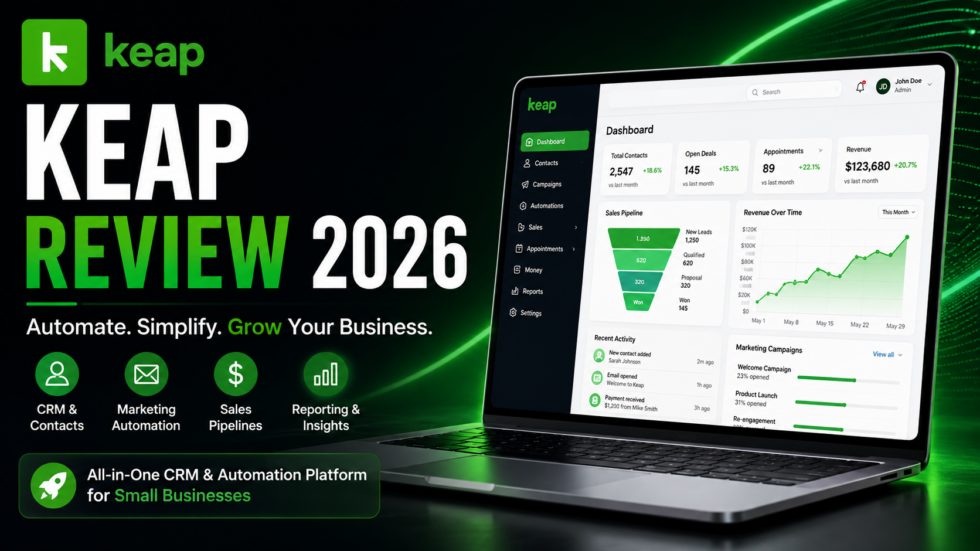
Running a growing business often means juggling too many disconnected tools.
One platform stores customer information. Another handles email marketing. A separate app manages appointments, while invoices, payments, sales pipelines, and follow-ups require even more software.
Keap aims to bring those workflows together.
Keap is an all-in-one CRM, sales, and marketing automation platform designed primarily for small and growing businesses. It combines CRM, workflow automation, email and text marketing, sales pipelines, appointments, landing pages, invoicing, payments, and reporting in one ecosystem.
Its biggest selling point is automation.
Instead of manually following up with every new lead, reminding customers about appointments, chasing unpaid invoices, or moving contacts through a sales process, businesses can build automated workflows that handle repetitive tasks in the background.
But Keap is not a budget CRM. Its current platform starts at a considerably higher price than many entry-level CRM tools.
So, is Keap actually worth the investment in 2026?
This Keap Review 2026 examines its key features, automation capabilities, pricing, pros and cons, ideal users, and overall value to help you decide.
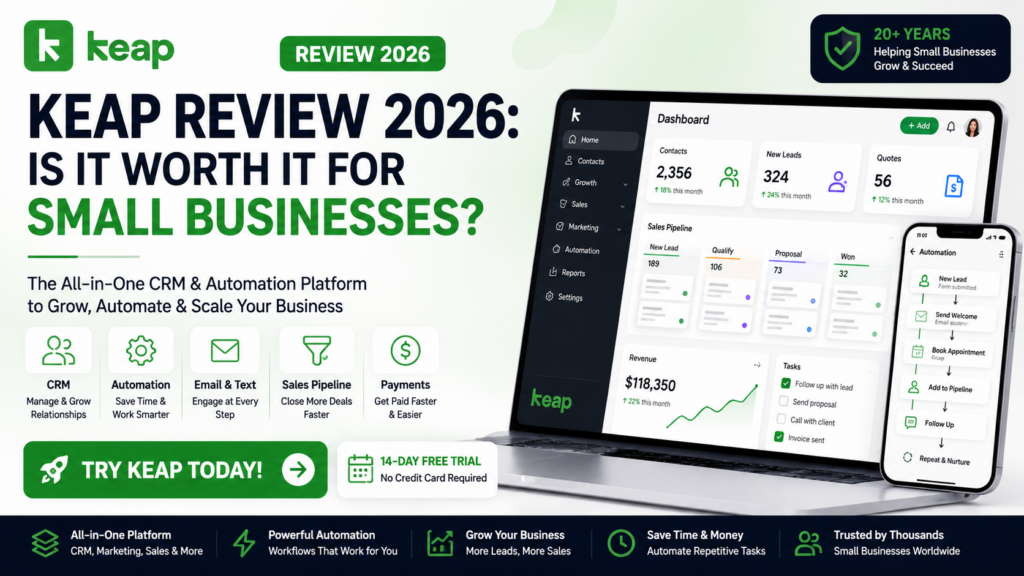
Keap Review: Quick Verdict
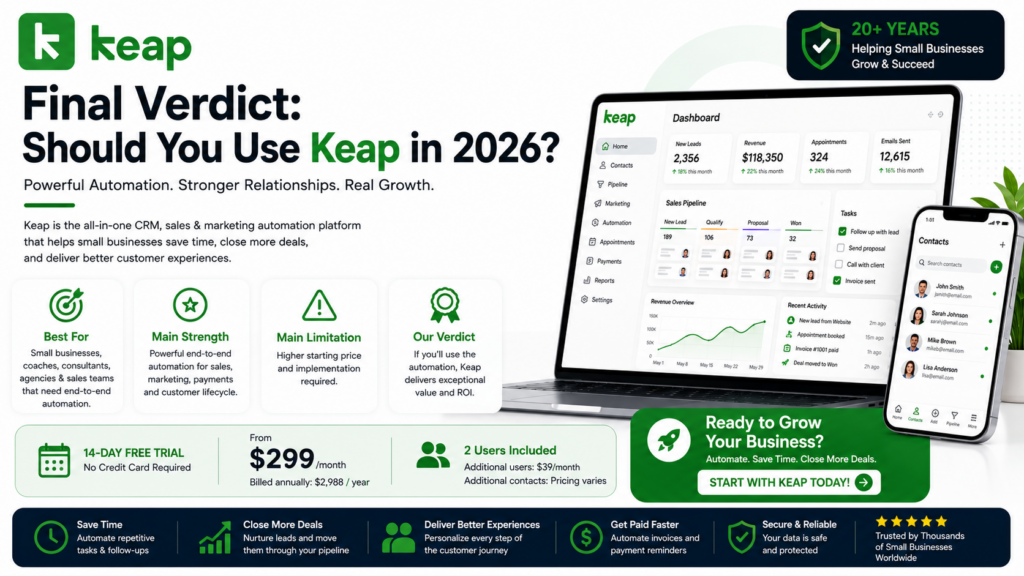
Best For: Small businesses, service businesses, consultants, agencies, coaches, sales teams, and companies that want CRM and automation in one platform.
Main Strength: Powerful sales and marketing automation connected directly to CRM, email, pipelines, appointments, invoicing, and payments.
Main Limitation: The starting price is substantially higher than many basic CRM platforms.
Starting Price: Keap’s current pricing page lists the complete software platform starting at $299/month, with annual billing shown at $2,988/year. The standard starting configuration includes two users; additional users are currently $39/month each.
Free Trial: Keap continues to advertise a 14-day free trial with no credit card required on several official product pages.
Our Verdict: Keap makes the most sense for businesses that will actually use its automation capabilities. If you only need a basic contact database, cheaper options exist. If you want to automate large portions of your customer lifecycle, Keap becomes much more compelling.
What Is Keap?
Keap is a small-business CRM and automation platform built to help companies capture leads, organize contacts, automate follow-ups, manage sales opportunities, communicate with customers, and collect payments.
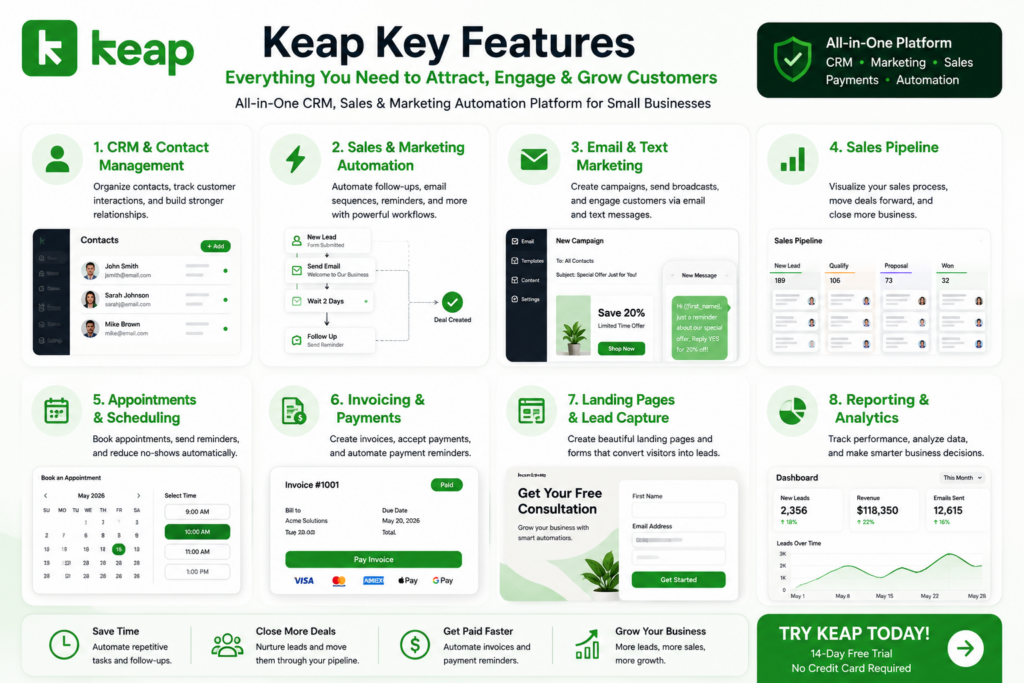
Its core platform brings together eight major areas:
- CRM
- Automation
- Email & Text
- Sales Pipeline
- Landing Pages
- Payments
- Appointments
- Reporting
The advantage is that these features can work together.
For example:
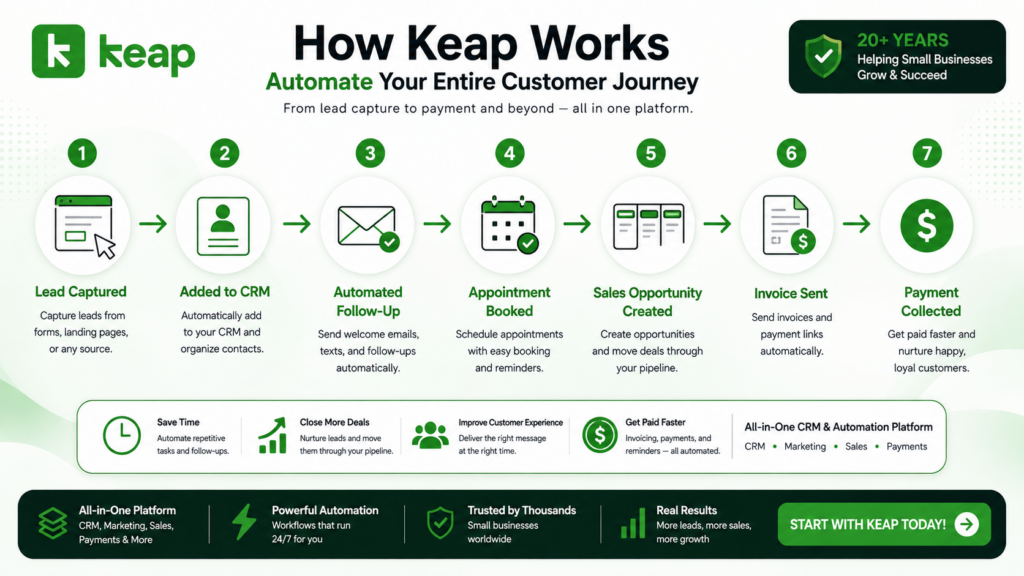
Lead Captured → Added to CRM → Automated Email → Appointment Booked → Sales Opportunity Created → Follow-Up → Invoice Sent → Payment Collected
Instead of manually managing every step, Keap can automate significant portions of the customer journey.
Keap Key Features
1. CRM & Contact Management
Keap’s CRM acts as the central database for customer relationships.
Businesses can organize contacts and keep client activity, information, and communications accessible from one location. For B2B companies, contacts can also be organized by company.
This creates a central customer profile that can connect with marketing and sales automation.
The real advantage isn’t simply storing names and email addresses.
It’s what Keap can automatically do with that information.
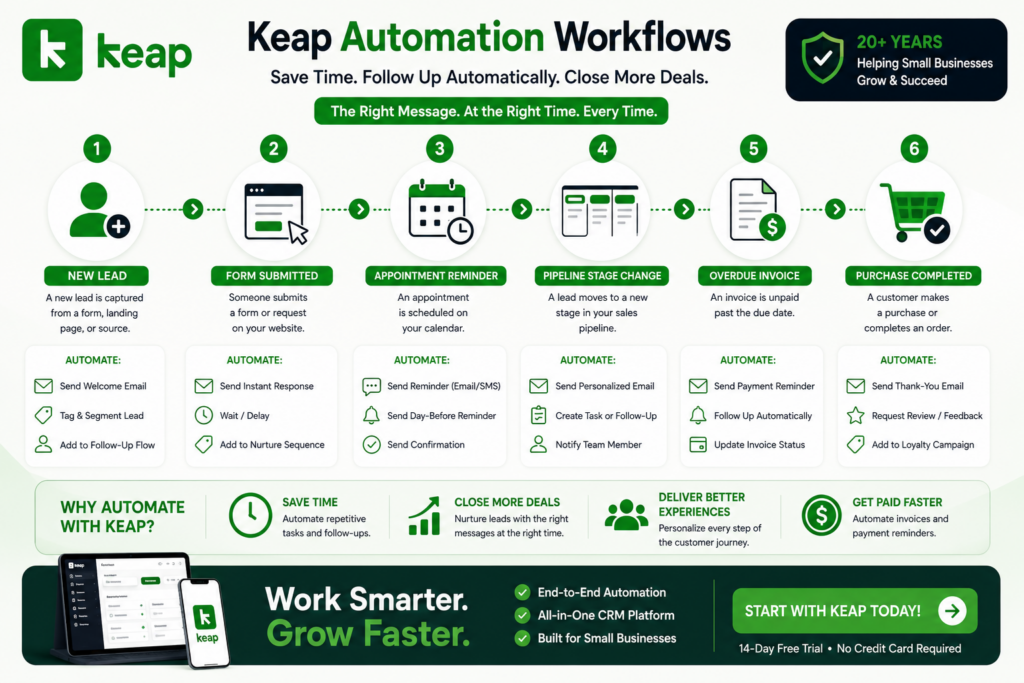
2. Sales & Marketing Automation
Automation is arguably the main reason to choose Keap.
Businesses can create workflows that automatically respond when specific events occur.
Examples include:
New Lead → Send Welcome Email
Form Submitted → Offer Consultation
Appointment Approaching → Send Reminder
Lead Moves Pipeline Stage → Trigger Follow-Up
Invoice Overdue → Send Payment Reminder
Purchase Completed → Send Thank-You Message
Keap supports both easier preset automations and more sophisticated customized workflows.
For businesses still performing these tasks manually, automation can potentially save significant administrative time.
3. Email & Text Marketing
Keap connects customer information directly with communication.
Businesses can create email campaigns, send broadcasts, personalize messages, and use automation to deliver follow-ups according to customer actions.
This means communication doesn’t need to rely exclusively on manually scheduled campaigns.
A lead’s behavior can trigger the next message automatically.
Keap also provides text-messaging capabilities, although availability and allowances vary by country and subscription. Its current pricing information notes that automated text marketing is available in the U.S., while certain business-line capabilities are limited to the U.S. and Canada.
4. Sales Pipeline
Keap provides a visual sales pipeline for tracking opportunities.
Teams can see where potential customers are within the sales process and move deals between custom stages.
Automation can then be connected to those stages.
For example:
New Opportunity → Qualification → Consultation → Proposal → Customer
Moving a lead into a different stage can trigger follow-up actions automatically.
Keap also supports lead scoring and sales analytics for eligible functionality, helping teams prioritize stronger opportunities.
5. Appointment Scheduling
Businesses that rely on consultations, demonstrations, coaching sessions, or customer appointments can incorporate scheduling into Keap.
Customers can book meetings, while automation can send communications before and after appointments.
This can help reduce repetitive scheduling work and provide a more consistent follow-up process.
A simple workflow might be:
Lead → Book Appointment → Confirmation → Reminder → Meeting → Automated Follow-Up
6. Invoices & Payments
Keap doesn’t stop when a lead becomes a customer.
Businesses can also create quotes, invoices, payment workflows, and recurring-payment processes.
Keap supports payment workflows with services including Keap Pay and integrations with payment providers. Its automation can also send invoice reminders when payments become overdue.
This creates a more complete customer lifecycle:
Lead → Sale → Invoice → Payment → Follow-Up
For service businesses, combining sales and payments in the same ecosystem can be particularly useful.
7. Landing Pages & Lead Capture
Keap includes tools for capturing new leads.
Businesses can create landing pages and forms that feed prospects directly into their CRM and automation workflows.
Instead of manually importing leads from another system:
Visitor → Form → CRM → Segmentation → Automation
can happen as one connected process.
This is where Keap’s all-in-one approach starts to become more valuable than simply using it as a CRM.
8. Reporting & Analytics
Automation isn’t particularly useful if you can’t understand whether it’s working.
Keap provides reporting capabilities designed to help businesses evaluate areas such as marketing, sales, customer activity, and pipeline performance.
Sales teams can also use analytics to understand how their pipeline is performing and where opportunities may be getting stuck.
This helps turn Keap from an automation engine into a platform for managing and improving the overall customer lifecycle.
Keap Pricing 2026
Keap has simplified its pricing compared with older versions of the platform.
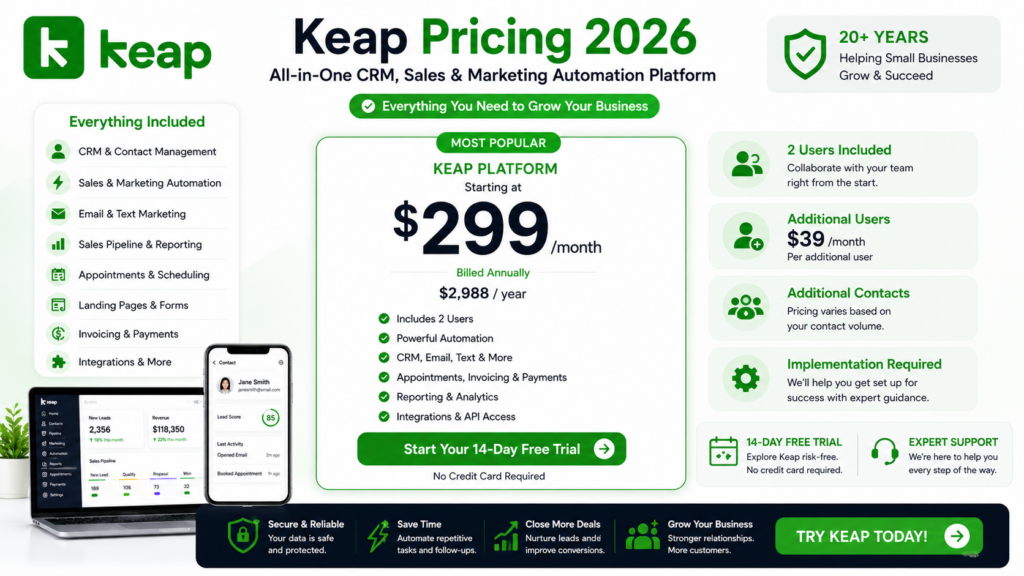
Rather than presenting the software as several feature-based plans, its current official pricing page promotes access to the entire Keap software platform starting at $299/month.
| Item | Current Pricing |
|---|---|
| Keap Platform | From $299/month |
| Annual Billing | $2,988/year shown |
| Included Users | 2 |
| Additional User | $39/month |
| Additional Contacts | Pricing varies |
| Implementation | Required; package varies |
One important detail is implementation.
Keap states that implementation services are required and can include strategy consulting, data import, migration, automation setup, training, and integration assistance.
This makes Keap different from a cheap self-service CRM where you simply create an account and start adding contacts.
The higher upfront commitment is a disadvantage for very small businesses, but businesses with complicated automation requirements may value having help setting everything up correctly.
Pricing and promotions can change, so verify the live offer before purchasing.
Keap Pros and Cons
Pros
Powerful Automation: Keap can automate lead nurturing, sales follow-ups, appointments, invoicing, payments, and customer communication.
CRM + Automation Together: Customer information and automation exist within the same ecosystem.
All-in-One Approach: CRM, email, text, pipeline, landing pages, appointments, payments, and reporting reduce reliance on disconnected tools.
Visual Sales Pipeline: Teams can easily track opportunities and connect pipeline movement with automated actions.
Payments & Invoicing: Particularly useful for service businesses that want to manage more of the customer lifecycle from one platform.
Expert Implementation: Businesses that don’t want to build sophisticated automation alone can access professional setup and strategy assistance.
Established Platform: Keap says it has spent more than 20 years serving entrepreneurs and small businesses.
Keap Cons
Expensive Starting Price: At a current starting price of $299/month, Keap isn’t designed to compete with inexpensive entry-level CRMs.
Implementation Cost: Required implementation adds another consideration beyond the software subscription.
Learning Curve: Powerful automation naturally introduces more complexity than a basic CRM.
Overkill for Simple Needs: Businesses that only want contact management or a basic email newsletter tool probably don’t need the entire Keap ecosystem.
Some Features Are Region-Specific: Business phone and text functionality has geographic restrictions.
Who Is Keap Best For?
Small & Growing Businesses
Keap is specifically positioned around small-business CRM and automation.
It becomes particularly attractive once manually following up with every lead and customer starts consuming too much time.
Coaches & Consultants
Appointment scheduling, lead nurturing, sales pipelines, invoicing, and follow-up automation can fit consultation-based businesses well.
Service Businesses
Companies that follow a journey such as:
Inquiry → Consultation → Quote → Service → Invoice → Payment
can potentially automate much of that workflow.
Agencies
Agencies can use Keap to manage prospects, automate nurturing, schedule calls, track opportunities, invoice clients, and maintain ongoing communication.
Sales & Marketing Teams
Keap can help smaller sales teams coordinate CRM data, pipeline management, lead scoring, marketing, and automated follow-ups.
Keap vs Basic CRM Software
| Feature | Keap | Basic CRM |
|---|---|---|
| Contact Management | ✅ | ✅ |
| Sales Pipeline | ✅ | ✅ |
| Advanced Automation | ✅ Strong | ⚠️ Varies |
| Email Marketing | ✅ | ⚠️ Varies |
| Text Marketing | ✅* | ⚠️ Varies |
| Appointments | ✅ | ⚠️ Varies |
| Landing Pages | ✅ | ⚠️ Varies |
| Invoicing | ✅ | Often Limited |
| Payments | ✅ | Often Limited |
| Lifecycle Automation | ✅ Strong | ⚠️ Limited |
*Availability varies by region and current plan conditions.
Keap’s biggest advantage isn’t having one unique feature.
It’s the ability to connect CRM + marketing + sales + payments + customer follow-up through automation.
Is Keap Worth It in 2026?
Whether Keap is worth the price depends heavily on how much automation your business needs.
If all you need is somewhere to store contacts, Keap is probably more software—and more expense—than necessary.
But consider a business currently doing this manually:
Capture Lead → Send Email → Schedule Appointment → Follow Up → Update Pipeline → Send Quote → Invoice Customer → Chase Payment → Request Repeat Business
Keap can connect and automate much of that journey.
That’s where the platform becomes significantly easier to justify.
You’re not simply paying for a CRM.
You’re paying for a system designed to automate the customer lifecycle.
For established small businesses where repetitive administrative work is already costing employees hours each week, that distinction matters.
Frequently Asked Questions
What Is Keap?
Keap is a CRM, sales, and marketing automation platform designed primarily for small and growing businesses. It combines CRM, automation, email and text communication, sales pipelines, appointments, landing pages, payments, and reporting.
How Much Does Keap Cost?
Keap’s current official pricing starts at $299/month, with annual billing shown at $2,988/year. Pricing can vary based on contacts, users, implementation requirements, and promotions.
Does Keap Have a Free Trial?
Keap currently advertises a 14-day free trial with no credit card required on its official product pages.
Is Keap a CRM?
Yes. CRM and contact management are central parts of Keap, but the platform extends considerably further into marketing, sales, automation, payments, appointments, and reporting.
Can Keap Automate Follow-Ups?
Yes. Automated follow-up is one of Keap’s core strengths. Businesses can trigger emails, text messages, reminders, sales actions, invoice reminders, and other workflows based on customer behavior.
Can Keap Accept Payments?
Yes. Keap provides invoicing and payment functionality and supports integrations with payment providers.
Who Should Use Keap?
Keap is best suited to growing small businesses, agencies, coaches, consultants, service businesses, and sales teams that need CRM plus significant sales and marketing automation.
Final Verdict: Should You Use Keap in 2026?
Keap isn’t trying to be the cheapest CRM.
Its value comes from combining CRM, marketing automation, sales automation, email and text communication, pipelines, appointments, landing pages, invoicing, payments, and reporting into one connected system.
Best For: Growing small businesses, agencies, coaches, consultants, service companies, and sales teams.
Main Strength: Powerful end-to-end sales and marketing automation.
Main Limitation: A much higher starting cost than basic CRM software.
Starting Price: Currently from $299/month.
Free Trial: Currently 14 days on eligible trial offers.
Final Verdict: Keap is worth considering if repetitive sales, marketing, and customer-management tasks are slowing down your business. Its higher price makes less sense for simple CRM needs, but businesses that fully use its automation capabilities may find significantly more value.